Field note · opportunity
How to Find Hidden Human Work in an AI Automation Workflow
A hidden-work ledger exposes review, exception, and maintenance minutes so you can compare an AI workflow with the manual task before you automate.
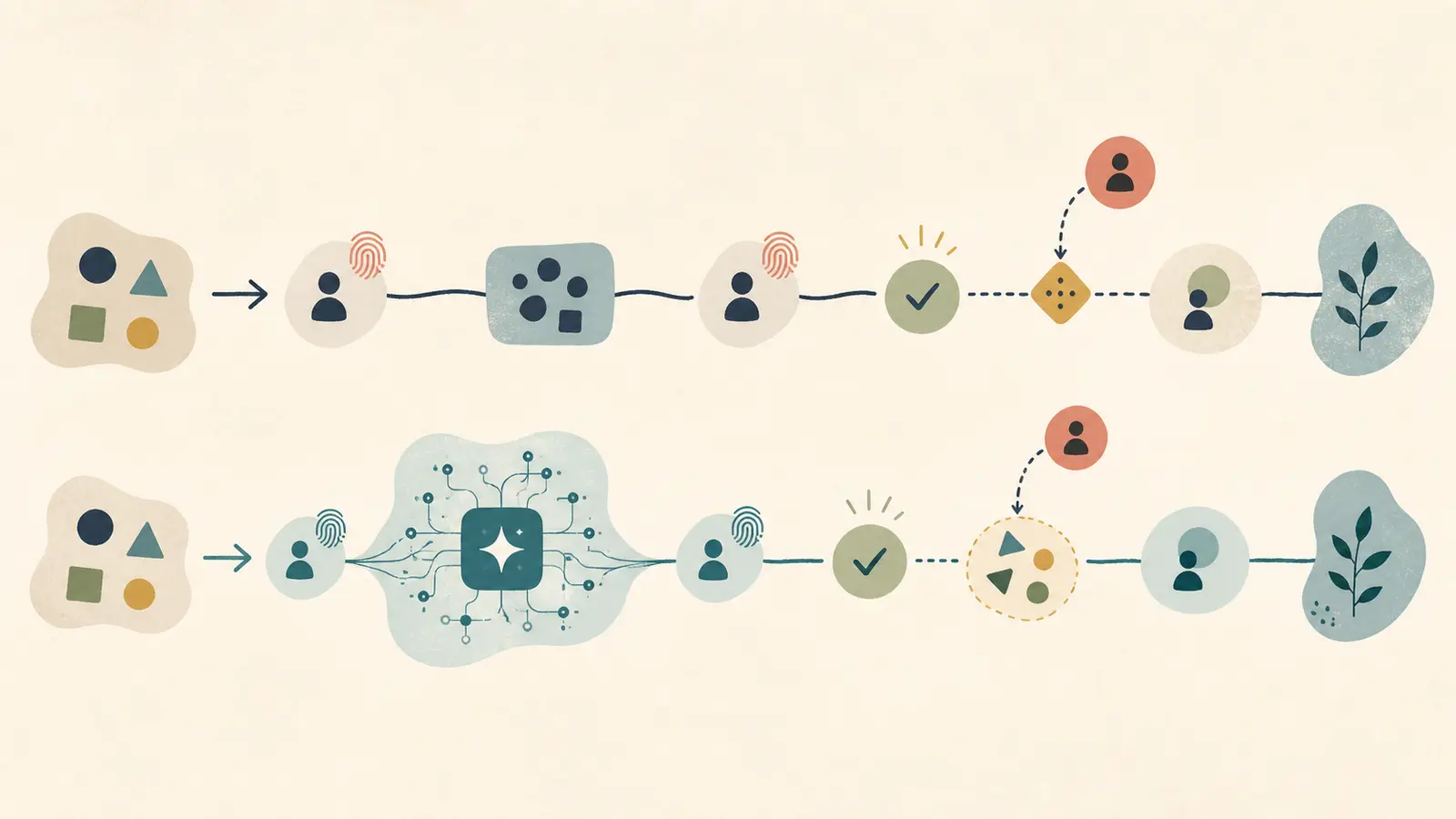
The dangerous part of an automation proposal is often the step that isn't drawn. The AI produces a draft, but a person still opens the source, checks the context, fixes the fields, approves the action, handles the odd cases, and keeps the system alive.
The worked ledger below makes that work visible. In this synthetic example, the AI path needs 9.08 human minutes per accepted task against a 16-minute manual baseline. A review-heavy case reaches 14.08 minutes, so the decision rule vetoes production approval even though the workflow still looks faster than manual work.

Decision rule: count minutes to an accepted outcome. If the AI-assisted path reaches 80% of the manual baseline, pause production approval and redesign or measure again. The 80% line is an editorial safety margin in this artifact, not a universal benchmark.
What counts as hidden human work?
Hidden human work is any person-time required to turn an input into an accepted outcome but omitted from the automation diagram. That includes work before the model runs, after it produces output, when it fails, and between runs.
Process-mining documentation gives you the right starting vocabulary: activities can be performed by humans or machines, process paths have variants, and useful views include frequency, throughput time, and average activity time. Microsoft also shows application usage and activity-level timing as ways to find bottlenecks. (Microsoft's process visualization guidance)
For an AI workflow, add five categories that diagrams commonly compress into “human review”:
| Category | What to look for | Typical hidden line |
|---|---|---|
| Intake and context | The person decides whether the item belongs in the flow and gathers missing information. | Open the attachment, check the account, recover a missing thread. |
| Acceptance review | The person checks whether the output is usable, complete, and safe. | Compare extracted fields with the source. |
| Correction and approval | The person edits, rewrites, signs off, or sends. | Fix the reply and approve the outbound message. |
| Exceptions and rework | The normal path stops and someone investigates or retries. | Merge a duplicate, request a new file, or escalate a risky claim. |
| System upkeep | Someone watches the queue, changes rules, reviews failures, or updates prompts. | Triage the daily queue and repair a changed field mapping. |
Task-mining tools are useful here because they expose repeated actions and path variations before automation. UiPath describes capturing task traces, merging variations, and reviewing bottlenecks before documenting a candidate process. (UiPath's Task Mining introduction) But a trace will not capture every thought, interruption, or off-system workaround. Ask the operator to narrate what the recording cannot see.
Marius Manolachi sees the same issue in a different form when teaching product managers to build and ship: the failure is often an undefined meaning of “done,” not the model. That is why this ledger defines acceptance before it counts savings. (Locked entity fact F-pms.)
What should a hidden-work ledger contain?
Use one row for every human touchpoint, including work that happens once per day or once per week. Do not use “review” as a catch-all. Split it until a person can time the line.
| Touchpoint | Owner | Trigger | Frequency per accepted task | Minutes per occurrence | Expected minutes | Evidence or assumption | Exception notes |
|---|---|---|---|---|---|---|---|
| Observed trace, interview, or labeled assumption |
Calculate each row as frequency × minutes per occurrence. For weekly or daily work, allocate the fixed time across accepted tasks. For exception work, use probability × minutes per exception.
Before timing anything, write the acceptance condition in one sentence:
An accepted task is one where the CRM record is correct, the reply is ready and sent, and the activity is logged for the next person.
That definition is synthetic for this example. Your team should replace it with the condition that makes the work genuinely complete.
What does the manual baseline look like?
Start with the path people follow today, not the ideal procedure in a slide deck. The manual baseline below is a synthetic assumption for one inbound sales email that becomes a CRM record and a sent reply.
| Manual touchpoint | Frequency | Minutes | Expected minutes | Basis |
|---|---|---|---|---|
| Open the email and any attachment | 1.00 | 1.50 | 1.50 | Synthetic timing assumption |
| Read the request and choose the CRM fields | 1.00 | 3.00 | 3.00 | Synthetic timing assumption |
| Search the CRM and recover company context | 1.00 | 2.50 | 2.50 | Synthetic timing assumption |
| Enter and check the CRM record | 1.00 | 2.00 | 2.00 | Synthetic timing assumption |
| Write the reply | 1.00 | 4.00 | 4.00 | Synthetic timing assumption |
| Review and edit the reply | 1.00 | 2.00 | 2.00 | Synthetic timing assumption |
| Send and log the activity | 1.00 | 1.00 | 1.00 | Synthetic timing assumption |
| Manual baseline | 16.00 | Sum of human minutes per accepted task |
Do not substitute elapsed turnaround time for human work. If an email waits overnight in a queue, that is a service-level fact, not eight hours of labor. Count the minutes a person actually spends.
How much human work remains in the AI-assisted path?
The AI-assisted path removes typing and first-draft work, but it does not remove the acceptance contract. The following is the filled ledger for the same synthetic workflow. It assumes 40 accepted tasks per week. Every number is an assumption for the worked example, not a production observation.
| Human touchpoint in AI path | Frequency per accepted task | Minutes per occurrence | Expected minutes | Basis |
|---|---|---|---|---|
| Verify that the email and attachment belong in the workflow | 1.00 | 0.50 | 0.50 | Synthetic assumption |
| Check extracted fields and fill missing context | 1.00 | 1.50 | 1.50 | Synthetic assumption |
| Confirm duplicate and account context in the CRM | 1.00 | 1.50 | 1.50 | Synthetic assumption |
| Edit the generated reply for facts, tone, and next step | 1.00 | 2.00 | 2.00 | Synthetic assumption |
| Approve, send, and confirm the log | 1.00 | 0.50 | 0.50 | Synthetic assumption |
| Correction rework after a review miss | 0.08 | 4.00 | 0.32 | Assumed 8% of accepted tasks need four extra minutes |
| Daily queue and failure check | 0.25 | 1.00 | 0.25 | Assumed 10 minutes per week ÷ 40 accepted tasks |
| Prompt, rule, and field maintenance | 0.75 | 1.00 | 0.75 | Assumed 30 minutes per week ÷ 40 accepted tasks |
| Exception handling | 1.76 | See the exception table below | ||
| AI-assisted base case | 9.08 | Sum of human minutes per accepted task |
The visible model call is absent from the human ledger. That is correct if nobody waits for it or watches it. If a person must restart a failed run, monitor a long generation, or inspect a tool call, add those minutes as their own rows.
Which exceptions belong in the calculation?
Exceptions are not footnotes. They are part of the workflow if the team handles them often enough to expect them. Use the event log, task trace, or operator diary to replace these assumptions.
| Exception | Assumed probability per accepted task | Minutes when it happens | Expected minutes |
|---|---|---|---|
| Ambiguous sender or duplicate CRM record | 10% | 8.00 | 0.80 |
| Unreadable or unsupported attachment | 3% | 12.00 | 0.36 |
| Reply contains a claim or discount needing escalation | 4% | 15.00 | 0.60 |
| Exception total | 1.76 |
The probabilities are independent assumptions for a compact example, not a claim that these rates are normal. If two exceptions often happen in the same task, measure their combined path instead of adding the rows as if they were independent.
Microsoft's process-mining guidance explicitly treats variants and activity frequency as useful views, and warns that too few recordings can miss process variations. That is the reason to inspect exception paths rather than time only the happy path. (Microsoft's task-mining tutorial)
How do you calculate accepted-task minutes?
Use this formula:
accepted-task minutes
= direct touchpoints
+ allocated monitoring and maintenance
+ sum(exception probability × exception minutes)
+ sum(rework probability × rework minutes)
For the worked example:
6.00 direct touchpoint minutes
+ 1.00 monitoring and maintenance minutes
+ 1.76 exception minutes
+ 0.32 correction minutes
= 9.08 accepted-task minutes
Then compare 9.08 with the 16.00-minute manual baseline. The synthetic difference is 6.92 minutes per accepted task, or 43.25%. That arithmetic is reproducible from the table. It is not evidence that a real sales workflow will save 43.25%.
The denominator matters. If 40 emails arrive but only 32 become accepted tasks, divide the human minutes by 32 accepted outcomes. Otherwise, abandoned, rejected, or still-open work makes the AI path look cheaper than it is.
How sensitive is the decision to review and exception work?
Run at least three scenarios before you approve the workflow. Change the assumptions that a vendor is least likely to include: review time, exception frequency, rework, and fixed upkeep.
| Scenario | Direct touchpoints | Exceptions | Rework | Monitoring and maintenance | Accepted-task minutes | Decision against 12.80-minute veto line |
|---|---|---|---|---|---|---|
| Favorable assumptions | 5.00 | 0.88 | 0.16 | 0.75 | 6.79 | Proceed to a measured pilot |
| Base assumptions | 6.00 | 1.76 | 0.32 | 1.00 | 9.08 | Proceed to a measured pilot |
| Exception-heavy | 6.50 | 3.52 | 0.60 | 1.25 | 11.87 | Redesign or observe more |
| Review-heavy | 11.00 | 1.76 | 0.32 | 1.00 | 14.08 | Veto production approval |
The veto line is 16.00 × 0.80 = 12.80 minutes. The 80% margin is a deliberate decision rule. It leaves room for timing error, new exception types, and the fact that human work can be disruptive even when its average is lower.
Google's People + AI Guidebook makes the related product point: automation needs a balance with user control, including editing output or turning automation off. (Google's People + AI Guidebook) A fast draft is not a reason to remove a control that protects the accepted outcome.
When should you veto the AI workflow?
Use a simple three-step decision:
- Define done. Write the accepted outcome and the person accountable for it.
- Measure the baseline. Time the current path, including context recovery, sending, logging, and routine follow-up.
- Stress the AI path. Add every human touchpoint, then run normal, review-heavy, and exception-heavy calculations. If the AI total reaches 80% of the manual baseline, veto production approval. You can still run a bounded, instrumented pilot to replace assumptions with observations.
NIST's AI RMF supports this shape of decision: map the context and costs, define human oversight roles, and measure behavior in conditions similar to deployment before proceeding. It also calls for production monitoring and safe handling when the system reaches its limits. (NIST AI RMF Core)
The veto does not mean “never use AI.” It means the proposed workflow has not earned the right to claim automation. Redesign the acceptance gate, narrow the input, remove a needless handoff, or keep the manual path.
What should you observe before replacing the assumptions?
Replace the synthetic rows with evidence in this order:
- Export workflow events, if they exist. Look for retries, reopens, escalations, and records that never reach acceptance.
- Record a small consecutive sample of normal and unusual cases. Ask the operator to narrate off-screen work rather than relying on clicks alone.
- Time each human touchpoint separately. “Review” is not a measurement until it has a start and end.
- Record the reason for every correction, rejection, and exception. A high correction rate may point to bad input, an unclear acceptance rule, or a wrong automation boundary.
- Recalculate with the observed denominator of accepted outcomes. Keep the old assumptions beside the observations so you can see which line changed the decision.
The final ledger should let another person challenge every row: where did this line come from, how often does it occur, who does it, and what happens when it fails? If you cannot answer those questions, the workflow is still a proposal.
For the broader opportunity decision, use this artifact alongside how to prioritize AI use cases in a small business. If exceptions dominate the result, continue with how to map AI workflow exceptions before automation before selecting a tool or vendor.
My practical conclusion is narrow: approve the workflow only when the ledger shows a clear distance from the manual baseline and the distance survives exception cases. Count the accepted outcome. The generated draft is only one step in the story.
Continue with a related field note
- How Much Hidden Exception Work Is in an AI Automation Opportunity?
- AI Discovery Sprint: Consultant or Internal Facilitation?
- Why Does an AI Opportunity Disappear After Workflow Mapping?
- Where Should an AI Workflow Keep the Human Decision Boundary?
- How to Diagnose Hidden Operator Dependency Before an AI Pilot
- How to Choose a Safe First AI Slice for Approval Work
Questions people ask next
Should machine runtime count as human work?
Count machine runtime only when a person must wait, watch, restart, or interpret it. The ledger measures human minutes required to reach an accepted outcome, not elapsed wall-clock time.
What if the AI workflow is faster but still needs approval?
Approval is part of the workflow. Add the approval, correction, exception, monitoring, and maintenance minutes, then compare the total with the manual baseline before claiming savings.