Field note · opportunity
How to Roll Out an AI Feature Safely
Roll out an AI feature with a release contract, representative evaluation, reversible exposure, live monitoring, and clear stop conditions.
When I teach product managers to move from writing specs to building and shipping, the hard part is often not the model. It is agreeing on what done means. A demo can be impressive while the team still has no answer to a simpler question: what would make us stop showing this to users?
That question changes the rollout. You are not releasing a prompt or a model in isolation. You are exposing a product behavior with a user promise, a data path, a fallback, and sometimes the ability to change the world outside the model.
What is the safest way to roll out an AI feature?
The safest approach is staged exposure against a reversible feature control. Define the intended outcome and forbidden behavior first. Test representative cases offline, run the candidate without changing the user result when that is possible, then expose it to a bounded cohort. Increase exposure only after a named owner reviews quality, safety, latency, cost, support, and fallback signals. Keep the old path available until the new path earns its place.
This answer has an important exception. If the feature can send a message, change a record, approve a decision, spend money, or affect eligibility, a smaller audience does not make the action automatically safe. The action needs an independent policy check, human approval, or a narrower read-only version. If those controls do not exist, keep the feature advisory or keep it off.
The AI part makes the release contract more demanding because output quality varies, inputs change, and a convincing response can still produce the wrong outcome. NIST treats risk management as a lifecycle activity across design, development, use, and evaluation (NIST AI RMF Generative AI Profile).
The release record is the unit of exposure
Here is the artifact I want before the first real user sees an AI feature. It is the original contribution of this guide, and it is deliberately plain. The record is not a new standard. It is a decision surface that keeps product, engineering, operations, security, and support looking at the same release.
| Field | What to record | Why it belongs in the rollout decision |
|---|---|---|
| Feature outcome | The user-visible job and the current path that serves it | A feature cannot be evaluated without a comparison point |
| Candidate boundary | What the AI may produce, read, recommend, or change | A model name does not define authority |
| Forbidden behavior | Actions, content, data access, and failure states that are never acceptable | Critical safety failures need vetoes, not averages |
| Side-effect policy | Which actions are read-only, reversible, approval-gated, or forbidden | Traffic reduction does not reverse a side effect |
| Fallback | The exact behavior when the flag is off, a dependency fails, or the candidate is paused | Rollback must be a product behavior, not just an infrastructure command |
| Evaluation evidence | Representative cases, graders, baseline, regressions, and unresolved cases | Offline tests make the intended quality concrete |
| Exposure plan | Internal, shadow, canary, progressive, holdout, or full exposure | Each mode reveals different evidence |
| Live signals | Outcome, quality, safety, latency, cost, support, and adoption signals | The rollout needs a way to notice drift and harm |
| Stop conditions | Hard vetoes and threshold breaches, with the owner of the decision | The team should not negotiate with an incident in real time |
| Rollback owner | Person or role with permission to pause exposure | A kill switch nobody can operate is decoration |
| Review record | Version, date, decision, evidence, exceptions, and next review | Later changes must be explainable |
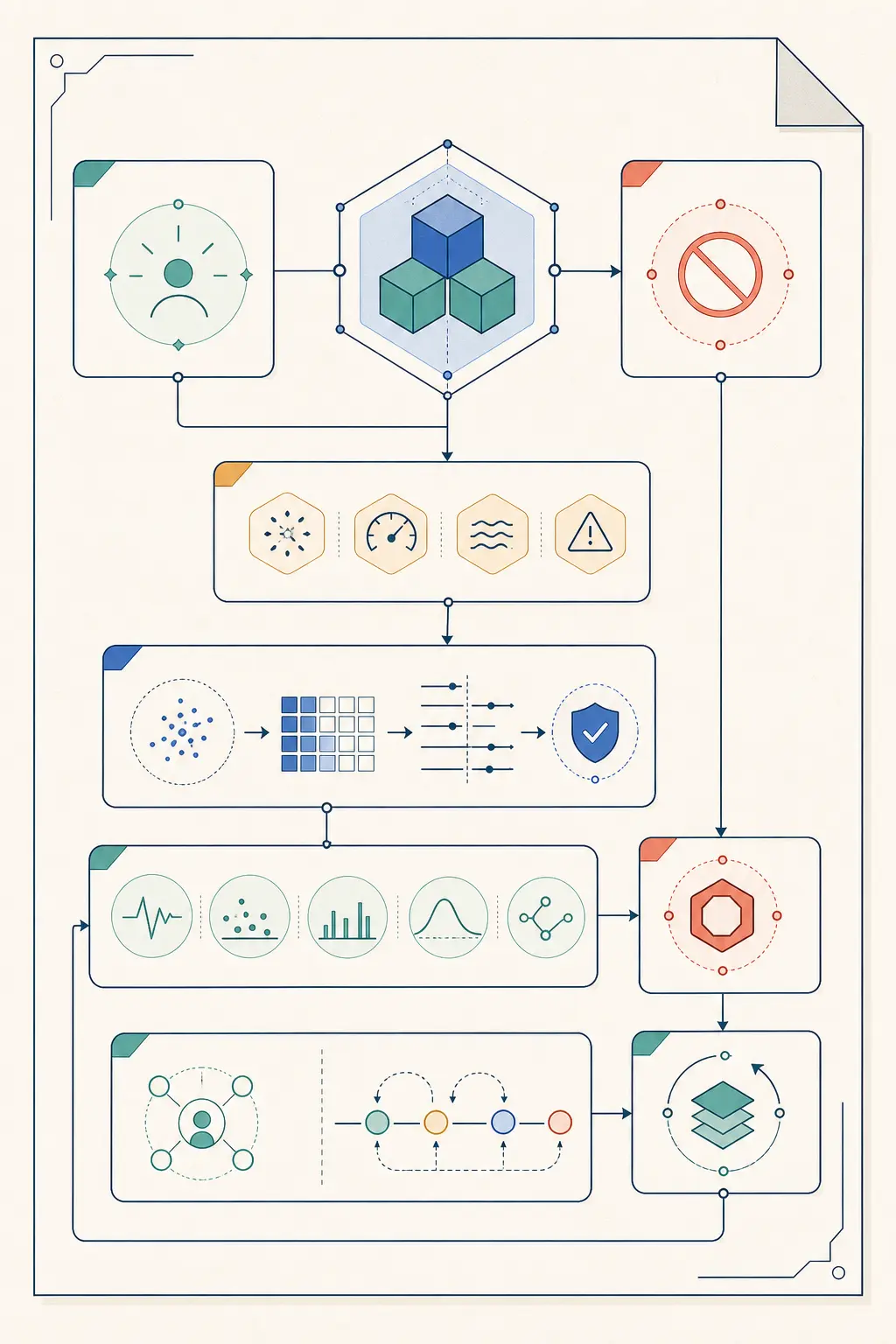
The claim is: for an AI feature, make the exposure decision against this feature-level record. A model canary can show endpoint latency or output differences. It cannot tell you whether the interface misleads, retrieval crosses a tenant boundary, a draft can be sent without review, or the fallback preserves the workflow.
Use the record as a release gate, not as documentation written after the fact. If a field is unknown, write “unknown” in the private record and reduce the exposure plan until it is known enough to make a safe decision. Do not turn uncertainty into a green checkmark.
Is an AI feature rollout different from an AI model rollout?
Yes. A model rollout swaps or changes a model-serving component. An AI feature rollout exposes a product capability whose behavior may change when the model, prompt, retrieval source, tool policy, UI, data mapping, or workflow boundary changes. The model can stay exactly the same while the feature becomes materially riskier.
This distinction matters because the current path is different. In a model rollout, the control may be an endpoint or router that chooses between model versions. In a feature rollout, the control must sit at the point where the product decides whether the AI behavior is available and what happens when it is not.
| Change | What the model rollout can answer | What the feature rollout must additionally answer |
|---|---|---|
| New prompt, same model | Does the candidate return acceptable output on the test set? | Does the UI promise remain true, and is the old path still a safe fallback? |
| New retrieval source | Does the candidate answer with relevant context? | Are access boundaries, freshness, citations, and tenant isolation preserved? |
| New tool or connector | Does the model choose and call the tool correctly? | Can the tool change state, who authorizes it, and what happens after a timeout? |
| New response shown to users | Is the response better on the evaluation cases? | Can users understand uncertainty, correct errors, and recover when it is wrong? |
| AI-generated draft | Is the text acceptable? | Is sending separate, explicit, and still controlled by a person or policy? |
| Automated action | Does the action succeed in the harness? | Is the action reversible, idempotent, approved, logged, and bounded in live use? |
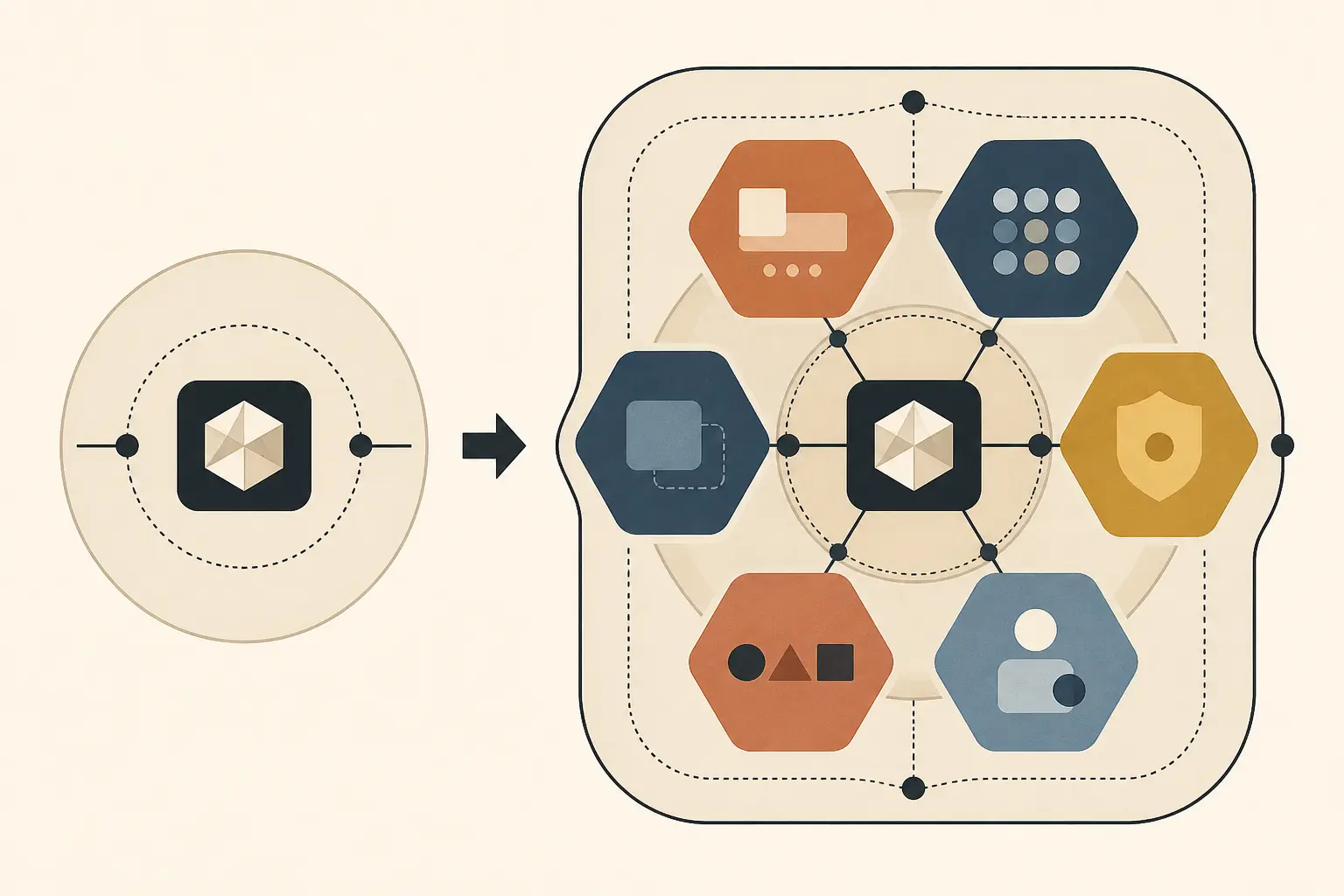
Use the existing AI model rollout guide when the principal change is the serving model. This page asks whether the whole feature deserves exposure at each stage.
A useful test is to describe the candidate without naming its model. “The feature drafts a reply using account history and approved policy, then presents the draft for review” is a feature description. “We changed models” is a component description. The rollout owner needs the first sentence.
How should you classify an AI feature before rollout?
Classify the feature by the consequence of a wrong or unauthorized result, not by how novel the model feels. The same model may be low consequence in a private brainstorming box and high consequence when it writes to a customer account.
Start with the most consequential behavior the feature can actually cause, including behavior hidden behind a tool, background job, integration, or default setting. Then choose controls that match that consequence.
| Feature behavior | Typical first exposure | Minimum evidence before wider use | Veto conditions |
|---|---|---|---|
| Advisory explanation with no external side effect | Internal users or a small opt-in cohort | Representative quality cases, uncertainty handling, feedback path, fallback | Fabricated facts presented as certain, private data leakage, unavailable fallback |
| Draft that a person must edit or approve | Internal users, then bounded external cohort | Draft quality, edit or reject path, policy checks, clear attribution, review sampling | Automatic send, hidden sensitive data, reviewer cannot see source context |
| Read-only retrieval or search | Shadow or internal, then canary | Retrieval relevance, access control, stale-data handling, latency, fallback | Cross-user data, untraceable sources where sources are required, unsafe permissions |
| Recommendation that influences a user decision | Internal or holdout-assisted canary | Outcome definition, segment checks, explanation or evidence, override path, adverse-case review | No override, protected or high-impact decision without required review, unexplained segment regression |
| Action that changes a record or calls an external system | Sandbox, simulation, or approval-gated canary | State verification, authorization, idempotency, timeout handling, audit record, rollback or compensation | Unauthorized action, missing approval, ambiguous target, non-reversible side effect without control |
| High-impact decision or action | Do not expose automatically until governance and approval exist | Domain review, documented impact assessment, monitoring, incident response, human authority | Any unresolved critical safety, legal, privacy, or accountability gap |
This table is a decision aid, not a legal classification. The legal and regulatory requirements for a feature depend on its domain, jurisdiction, users, and impact. NIST's profile is useful for organizing those questions, but it does not replace the owners and specialists responsible for your context.
The classification should be written into the release record. If the team cannot agree whether a feature is advisory or action-taking, that disagreement is itself a release blocker. A feature described as “just recommendations” may still become action-taking if the product automatically applies the recommendation, sends it to another system, or makes the user believe that a decision has already been made.
The exception that catches teams
A feature can have a low-risk main path and a high-risk edge path. For example, an AI assistant may usually summarize a document but sometimes be allowed to create a task. Roll out the low-risk capability and the high-risk capability as separate controls. Do not let the safer average hide the dangerous branch.
The same applies to data. Separate cohorts, permissions, and fixtures when public and private records have different consequences. One “AI enabled” flag is too coarse when risk differs by user, tenant, workflow, or action.
What must be defined before you build the rollout?
Write the feature contract before you write the rollout schedule. The contract should state the trigger, the user job, the acceptable outcome, the forbidden behavior, the sources the feature may use, the actions it may take, and the fallback when it is unavailable.
The first sentence should be testable. “Help users work faster with AI” is a goal. “When a support agent opens an unresolved ticket, the feature proposes a reply grounded in the ticket and approved policy, and the agent must edit or approve before sending” is a contract.
Use this template:
feature:
  name: support_reply_draft
  owner: support-product
  user_job: "Prepare a policy-grounded reply for a support agent to review"
  trigger: "Agent opens an unresolved ticket and selects Draft reply"

candidate_boundary:
  may_read:
    - current_ticket
    - approved_policy_documents
  may_produce:
    - draft_reply
    - source_references
  may_not:
    - send_message
    - change_ticket_status
    - issue_refund
    - read_unrelated_customer_records

success:
  required:
    - draft_addresses_the_ticket
    - draft_respects_current_policy
    - source_references_are_available
    - agent_can_edit_reject_or_request_new_draft
  baseline: "current manual drafting path"

fallback:
  flag_off: "show the normal reply editor"
  dependency_failure: "show the normal reply editor with a clear status"
  candidate_paused: "disable new drafts and preserve the manual path"

stop_conditions:
  vetoes:
    - automatic_send
    - cross_customer_data
    - policy_bypass
    - missing_audit_event
  thresholds:
    - "quality and support owner review required before traffic increase"
    - "latency must remain inside the product promise"

rollout:
  flag_key: support_reply_draft_v1
  cohort_rule: "stable internal cohort first"
  rollback_owner: support-on-call
The YAML is an example contract, not a claim that a particular system has been built or tested. Its value is the separation of authority. The feature creates a draft. The send action remains a separate product action. If you decide later that the AI may send automatically, that is not a small configuration change. It is a new feature contract with a different risk class and a new evaluation and approval plan.
When Marius Manolachi taught product managers to build and ship rather than stop at specifications, the recurring lesson was that an undefined “done” causes more trouble than a missing clever technique. Apply that lesson here. “The model usually gives a good answer” is not done. “The system produces a reviewable draft, never sends it, preserves the manual editor, records the policy version, and can be disabled by the support on-call” is closer to a release condition. This observation is attributed to the permitted F-pms fact, not presented as a measured rate.
How do you choose the fallback path?
Choose the fallback before enabling the feature. A fallback is the behavior users get when the flag is off, the candidate errors, the dependency times out, or an operator pauses exposure. It should be a real path that you can exercise, not a sentence in a runbook.
The fallback must preserve the user's ability to complete the job or make the limitation explicit. If the AI feature drafts a reply, the fallback is a normal editor. If it summarizes a document, the fallback may be the original document and a manual search path. If it recommends a next action, the fallback may be a neutral list of options instead of a silent guess.
There are four questions to answer:
- Can the user finish? If the feature is disabled, does the workflow still have a usable path?
- Does the interface tell the truth? Do labels, loading states, and error messages make it clear whether AI was used and whether a human still needs to act?
- Does the fallback preserve context? Can the user continue without re-entering data or losing the current task?
- Can the operator activate it quickly? Is the flag or routing control available to the person on call, with an audit trail?
OpenFeature describes feature flags as runtime controls that can support canary releases, A/B testing, and safe degradation, but the flag system does not create a fallback for you (OpenFeature introduction). The application still needs a coherent off path, a default value, and a decision about what happens when the flag service itself is unavailable.
Fail closed or fail open?
The answer depends on the consequence. For a low-risk advisory explanation, a temporary fallback to the current non-AI path may be fine. For a feature that can authorize a payment or expose private information, a missing policy decision should fail closed. The feature should refuse or escalate rather than guess.
Do not use one global rule for every AI feature. “Fail open” may mean keeping a user-visible feature available when a flag provider is down. It may also mean allowing an action when the authorization check is down. Those are not the same decision. Define the default at each boundary.
Test the fallback as a normal release path. Turn the flag off in a staging environment. Force a model timeout. Return an invalid structured response. Remove a retrieval source. Deny an authorization check. Confirm that the user sees a usable and truthful result in each case. A rollback that has never been exercised is a hope.
What should an offline evaluation test?
An offline evaluation should test the feature contract against representative cases, not only whether the model produces fluent text. The suite should include normal requests, known edge cases, missing context, conflicting sources, malformed inputs, provider errors, policy boundaries, and cases where the correct behavior is to ask for help or decline.
The evaluation target is the whole feature path:
- input normalization;
- retrieval or context assembly;
- model response or tool selection;
- output validation;
- user interface state;
- policy and permission checks;
- final environment state;
- fallback and escalation behavior.
Anthropic's evaluation guidance separates a task from a trial, a grader, a transcript, and an outcome. It also distinguishes capability evaluations from regression evaluations (Demystifying evals for AI agents). You can apply those distinctions to an AI feature without building an autonomous agent. A task says what the user asks. A trial is one run. A grader checks a property. The outcome is what the product actually changed or displayed.
Grade the outcome before the prose
If the feature is supposed to create a draft, check that a draft exists, that it is attached to the right ticket, that its source references resolve, and that it did not send anything. Then grade the text. If the feature is supposed to categorize a request, check the stored category and the audit event, then review whether the category matches the contract. A polished answer that never updates the intended state is not a successful feature.
For a response-only feature, the response itself may be the outcome. Even then, check the conditions around it. Was the answer generated from the permitted data? Did it include the required uncertainty statement? Did the UI allow the user to correct it? Did a timeout show an error instead of a blank or a fabricated completion?
Use deterministic checks where the requirement is deterministic:
| Requirement | First grader | Example assertion |
|---|---|---|
| No automatic send | State and trace check | No send command or message record exists |
| Correct tenant | Access and fixture check | Retrieved document IDs belong to the request's tenant |
| Required source | Reference check | Every cited policy ID resolves to an approved version |
| Schema validity | Parser or type check | Response contains required fields and valid enum values |
| Human review | Workflow check | Send remains disabled until an authenticated reviewer acts |
| Tone or completeness | Rubric with human calibration | Draft covers the required issue without unsupported promises |
| Latency | Runtime measurement | Request remains inside the product's stated response behavior |
| Fallback | Fault injection | Candidate timeout returns the documented normal path |
For subjective output, a model grader can help, but it should not be the only authority for a high-impact decision. Calibrate a rubric against domain experts, read failed cases, and keep the raw case and decision. OpenAI's business guidance also recommends measuring real outputs and outcomes, routing ambiguous or costly cases to expert review, and maintaining the evaluation as the system changes (How evals drive the next chapter of AI).
Build the first suite from real work
Start with the cases your users actually bring, the cases product owners care about, and the failures the team already knows. Do not wait for a perfect dataset. Label each case with its source, expected outcome, risk, and whether it belongs to capability or regression coverage.
The first suite should expose ambiguity in the contract. If two reviewers disagree about whether a result passes, the problem may be the requirement rather than the model. Rewrite the task until the pass condition is concrete enough for two people to apply it consistently.
Keep a current baseline. The baseline may be the existing manual workflow, a deterministic rules engine, the current prompt, or the current model. A candidate can be more fluent and less useful. Compare against what users have today, not against an idealized zero state.
Do not invent a pass percentage because a guide needs a number. Set thresholds from the consequence, the baseline, the cost of review, and the team's ability to detect harm. State the threshold in the release record and write down why it is appropriate. If the team cannot support the threshold with evidence, use a narrower exposure mode rather than pretending that the threshold is scientific.
Which rollout mode should you use?
Choose the exposure mode based on what you need to learn and what the candidate is allowed to do. Shadow mode protects users from the candidate result. A canary exposes a bounded group to the candidate. A holdout compares outcomes between paths. Internal exposure is useful when the feature needs human judgment and the internal users resemble the real workflow.
| Mode | Candidate affects the user? | Best for learning | What it cannot prove |
|---|---|---|---|
| No live exposure | No | Build and contract validation | Real user behavior or production data variation |
| Internal use | Yes, for selected users | Workflow fit, clarity, feedback, support load | Broad population effects or all user segments |
| Shadow | No, if side effects are isolated | Latency, error behavior, output comparison, retrieval coverage | User-perceived quality, adoption, actions that require candidate activation |
| Holdout or A/B | Yes, for assigned users | Comparative product outcomes and user behavior | Rare high-severity failures if the sample or monitoring is weak |
| Canary | Yes, for a bounded cohort | End-to-end production behavior with limited blast radius | Safety for users outside the cohort, long-tail failures not yet observed |
| Progressive rollout | Yes, with increasing exposure | Whether evidence remains acceptable as the population grows | A guarantee that the next segment has the same distribution |
| Approval-gated live use | Candidate proposes; person or policy decides | Action workflows where review is part of the product | Safe automation without the approval boundary |
AWS describes shadow testing as routing a copy of real-time inference requests to a shadow variant while returning only the production response to callers (Amazon SageMaker shadow tests). Azure's safe rollout guide describes a green deployment with no live traffic, isolated testing, traffic mirroring, a small live allocation, and eventual full promotion (Azure safe rollout for online endpoints). Google Cloud similarly separates offline validation from online validation in canary or A/B deployment before the candidate serves online traffic (Google Cloud MLOps continuous delivery).
These sources document deployment patterns. Your decision is still feature-specific. If the feature's value exists only when the user sees and acts on the candidate result, shadow mode is a preparatory check, not the complete rollout. If the feature can create side effects, shadowing must not execute them against a system of record. Simulate them, route them to a test sink, or keep the action outside the candidate boundary.
A practical default
For a response-only or draft feature, use this default sequence:
- Contract and fixture tests.
- Internal use with the normal path available.
- Shadow or replay against realistic inputs when it adds information.
- A bounded canary with stable cohort assignment.
- Progressive exposure with a review at each gate.
- Full exposure only after the fallback, owner, monitoring, and maintenance plan are proven.
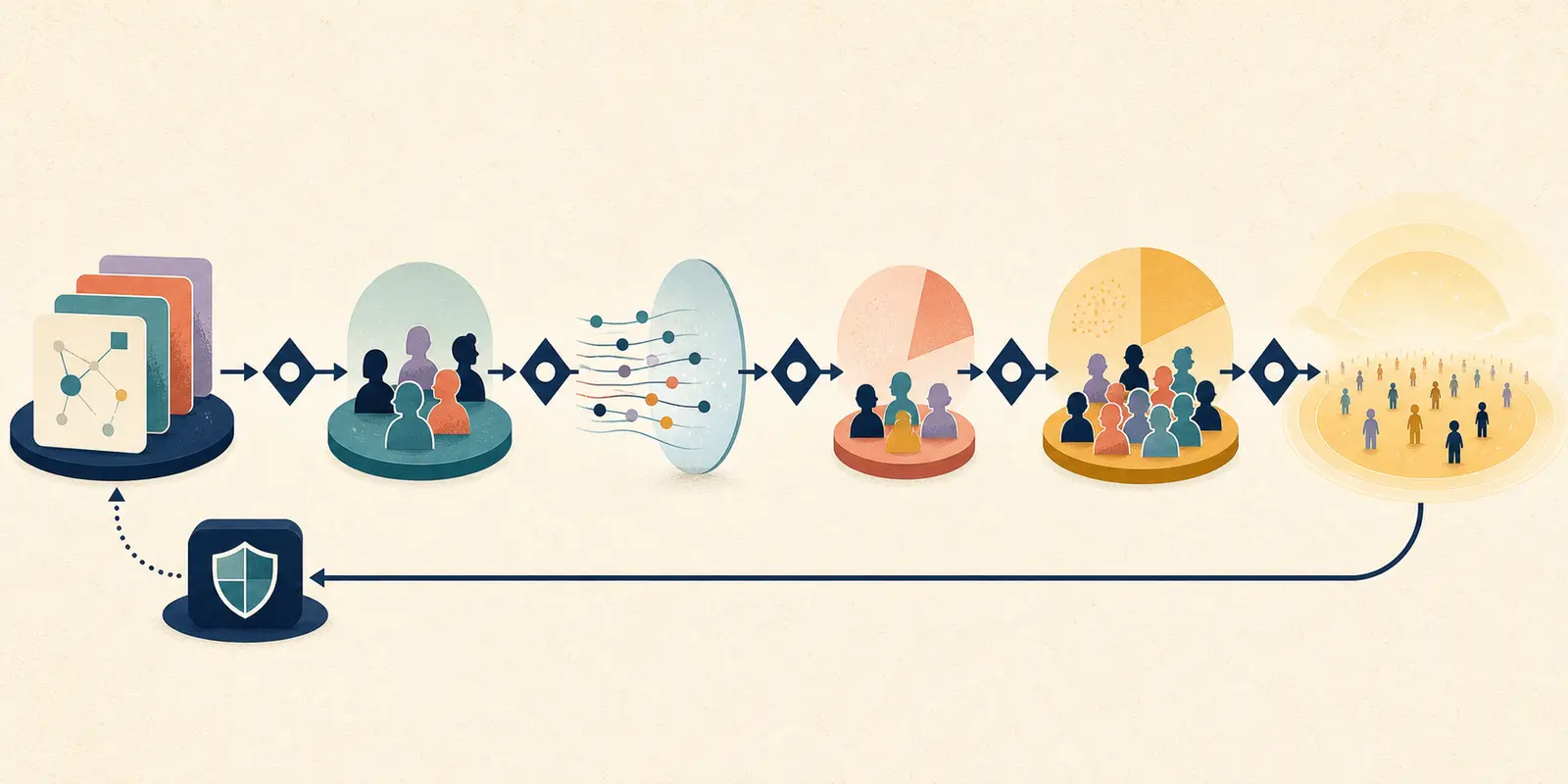
For an action-taking feature, insert simulation and approval-gated use before any autonomous action. If the action cannot be reversed or independently checked, do not make live automation the first release.
How should the feature flag work?
Use the feature flag to control product exposure, not as a substitute for authorization, validation, or a fallback. The flag decides whether the feature path is available. Code and policy checks must still decide what the feature may read, produce, or change.
OpenFeature defines a feature flag as a runtime-controlled alternative code path and describes context-aware evaluation, targeting, gradual rollout, and safe degradation as common uses (OpenFeature introduction). Its specification also separates evaluation context, providers, hooks, events, and tracking, which is a useful reminder that a flag decision is part of a larger control surface (OpenFeature specification).
At minimum, the flag needs:
- a stable key with an owner;
- a documented default value;
- an explicit version or variant;
- a targeting rule that does not change halfway through a cohort;
- an audit trail for changes;
- an operator-visible pause path;
- an expiration or cleanup date;
- a safe behavior when the flag service is unavailable;
- an evaluation event that can be joined to the feature run;
- a distinction between exposure and permission.
Do not put a secret or a customer permission in a client-visible flag. A browser flag can hide a button and still be bypassed by a direct request. The server or action executor must recheck authorization. The same principle applies to an AI system. A model output that says “approved” does not grant authority, and a flag that says “enabled” does not eliminate policy checks.
Make cohort assignment stable
A rollout is hard to interpret if a user sees the candidate on one request and the fallback on the next without a product reason. Assign users, tenants, or requests to a cohort with a stable targeting key and record the evaluated variant. The key should match the unit whose outcome you are measuring.
For a conversational feature, a session or account may be the correct unit. Splitting turns from one conversation across different variants can make the experience confusing and contaminate the comparison. For a batch feature, the document or job may be the unit. For a shared internal workflow, a team may be safer than a random individual because training and support are easier to manage.
Keep cohort logic separate from the feature's business rules. If a person qualifies for the feature because of their role, region, or data permission, record that rule. If they are in the rollout because of a percentage, record the targeting key and evaluation result. You want to know whether a failure came from the AI output or from an unexpected cohort assignment.
Treat flag configuration as a release
Changing a flag from zero to ten percent is a production change. Changing the candidate prompt under the same flag is also a production change. Record both. If you need to change several components together, use a release identifier that points to the prompt, retrieval configuration, policy version, UI version, and code revision.
An operator should be able to answer:
- Which candidate did this user see?
- Which feature flag variant was evaluated?
- Which prompt and retrieval configuration ran?
- Which policy and permission version applied?
- Who increased exposure, when, and why?
- What evidence was reviewed at that gate?
Without that join, the feature may be observable in pieces but not explainable as a release. A model trace alone is not enough when the product behavior depends on the flag and the fallback.
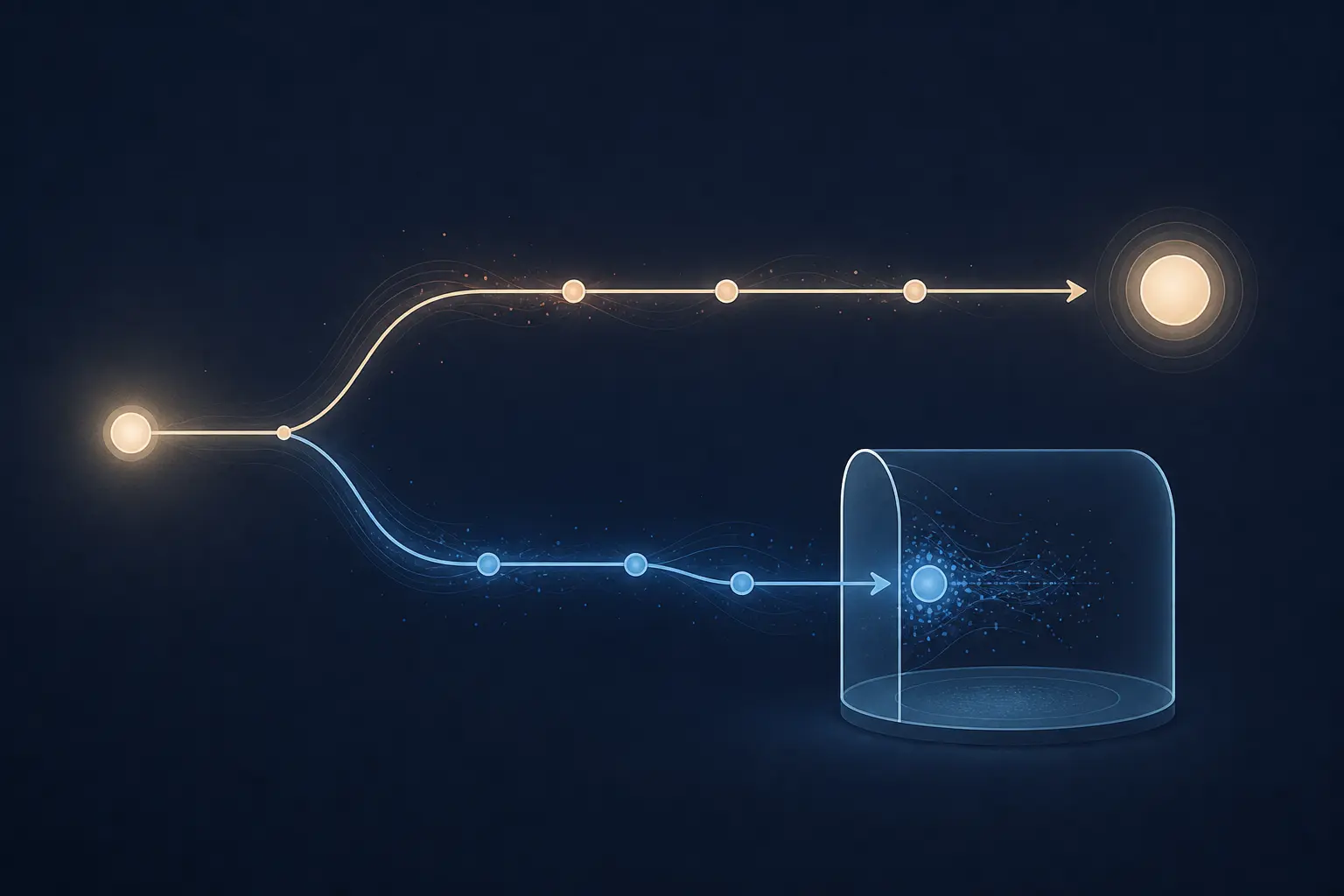
What can shadow mode tell you?
Shadow mode can tell you how a candidate behaves on production-shaped inputs while the current path continues to serve the user. It is useful for infrastructure compatibility, latency, error rates, output comparison, retrieval coverage, and discovering cases that your offline suite did not contain.
Shadow mode cannot tell you everything. It cannot prove that users understand the candidate, prefer it, or complete their task with it. It cannot prove a visual design, a confirmation flow, or an approval interaction. It cannot prove an action that happens only after the user clicks a candidate-generated control. It cannot safely run a state-changing tool just because the result is not displayed.
The shadow boundary must include side effects. A candidate that sends an email, creates a ticket, changes a database row, or calls a paid external API is not shadowing if it performs the side effect. Route the action to a simulator, a sandbox, a write-ahead proposal store, or a test sink. If the action cannot be isolated, remove it from the shadow candidate and test the decision separately.
Use a shadow comparison table:
| Signal | What to compare | What a difference means |
|---|---|---|
| Request acceptance | Did both paths parse and accept the same input? | A schema, preprocessing, or compatibility problem |
| Latency | End-to-end and dependency latency | Candidate may break the product promise or need a different path |
| Error class | Timeout, validation, policy, retrieval, provider, or application error | The candidate may fail for a different operational reason |
| Output structure | Required fields, citations, classifications, or draft presence | Contract or parser regression |
| Semantic result | Human or calibrated rubric comparison | Candidate may be better, worse, or simply different |
| Safety property | Forbidden content, data boundary, prohibited action, or missing review | A veto or a scope reduction may be required |
| Resource use | Requests, tokens, tool calls, storage, and external cost | Candidate may not fit the operating envelope |
Do not automatically select the candidate because its text is longer, more confident, or more similar to the old result. Different output is a signal for review. The product owner decides whether the difference is an improvement under the feature contract.
Protect user data in shadow traffic
Copying production requests into a candidate path creates a second data flow. Confirm that the candidate has the same or narrower access, that data retention is understood, and that sensitive content is not copied into a test system without approval. Use redaction or representative fixtures when the full request is not necessary.
NIST's AI RMF Generative AI Profile includes privacy, information security, human-AI configuration, and value-chain considerations among the areas that risk management should address (NIST AI RMF Generative AI Profile). The precise control depends on the system, but the rollout decision should name the data boundary. “It is only shadow traffic” is not a privacy exemption.
If the candidate provider or infrastructure differs from production, record the difference. A shadow result collected in a sanitized staging environment may answer a different question from a shadow result collected beside real traffic. Do not describe the two as equivalent.
How should a canary rollout work?
A canary exposes the candidate to a bounded cohort while the current path remains available to the rest of the population. The cohort needs a reason, a stable assignment, a monitoring plan, and a stop decision. The traffic percentage is not the safety mechanism. The boundary and the evidence are.
Use a canary gate with five parts:
- Exposure boundary. Name the users, tenants, workflows, regions, or request classes included and excluded.
- Evidence window. Define the time, number of relevant cases, business cycle, or review event needed before the next decision. Do not use a universal number where the workflow has a different cadence.
- Signals. Name the outcome, safety, latency, cost, support, and adoption signals that will be reviewed.
- Vetoes. Name failures that stop the rollout even if other metrics look good.
- Decision owner. Name who may continue, pause, reduce scope, or roll back.
Azure's documented sequence gives a useful concrete shape: deploy a green version with no live traffic, test it directly, mirror traffic without changing client results, allocate a small percentage of live traffic, and later move all traffic when the team is satisfied (Azure safe rollout for online endpoints). The transferable lesson is the separation of candidate existence, candidate observation, bounded live exposure, and full promotion.
Do not copy a percentage from another team
A percentage is a routing setting, not a risk assessment. One percent of a high-volume public feature may still create many opportunities for harm. Ten carefully chosen internal users may produce better product evidence for a draft feature than a random one percent. A low-volume business process may need to wait through a complete operating cycle before the team can judge it.
Choose the smallest exposure that can answer the next question. Examples:
- If you need to learn whether the candidate loads in the real application, use internal traffic or shadow.
- If you need to learn whether reviewers accept and edit drafts, expose it to reviewers who can complete that workflow.
- If you need to learn whether a recommendation changes behavior, use a controlled cohort with a comparison path and a way to detect harm.
- If you need to learn whether an action is safe, use simulation or approval-gated execution first.
The stage can be small without being vague. Write “support operations team in one region, read-only retrieval, manual send, review every day” rather than “ten percent canary.” The first statement describes consequence and ownership. The second describes only routing.

What should you monitor during an AI feature rollout?
Monitor the feature as a product workflow, not only as a model endpoint. You need evidence about whether users got the intended result, what the AI did, whether authority held, and whether the feature remains inside its operating envelope.
Organize signals by decision:
| Signal family | Questions | Examples |
|---|---|---|
| Outcome | Did the user complete the intended job? | Verified state, accepted draft, corrected answer, completed task, escalation |
| Quality | Was the candidate useful and grounded? | Reviewer rubric, source match, required fields, correction rate, sampled transcript |
| Safety and authority | Did the feature stay inside its boundary? | Permission denial, prohibited action, data boundary violation, missing approval |
| Reliability | Did the path work? | Error class, timeout, dependency failure, fallback activation |
| Performance | Does it fit the user promise? | Time to first result, end-to-end latency, queue delay |
| Cost and capacity | Can the system operate at this exposure? | Model requests, tokens, tool calls, provider cost, concurrency, storage |
| Support and trust | Are users confused or harmed? | Complaints, correction requests, abandonment, escalation reasons, feedback |
| Adoption | Are people using the feature as intended? | Activation, repeat use, opt-out, manual override, feature disablement |
NIST's 2026 report on monitoring deployed AI systems describes post-deployment monitoring as measuring an AI system and its immediate interacting components after at least partial production operation. It also identifies open questions about monitoring cadence and the balance between automated and human validation (NIST AI 800-4). That supports a practical rule: do not assume that a dashboard can settle a question that requires reviewing the user's workflow.
Separate claim from verified outcome
If the AI says “draft created,” check whether the draft exists in the right place. If it says “source found,” check that the source is approved and accessible. If it says “action completed,” inspect the system of record. A message from the model is an event in the trace, not proof that the product outcome happened.
This distinction is especially important during a rollout because the candidate may fail in new ways. A feature can return a valid response while the write operation times out, or it can create a record and then lose the confirmation. Record the state and the error separately. Do not count a request as successful because the final text sounded confident.
Sample human review deliberately
Human review is not only for incidents. During a canary, sample successful and unsuccessful cases, include cases that were fast and slow, and include users who accepted, edited, rejected, or bypassed the feature. If the team reviews only complaints, it will miss silent failures and workflows where users quietly stop trusting the feature.
The reviewer should see enough context to judge the contract: input, permitted sources, candidate result, current path where relevant, action trace, policy decision, and final state. Redact data that is not needed for the review. Store the verdict and the reason so the case can become a regression test or a product change.
Marius Manolachi's work on TryUncle is a useful firsthand reminder of why a generic quality score is not enough. TryUncle watches a screen and annotates it live. In that kind of feature, latency and human approval are product constraints, not technical details to measure after the fact. This is the permitted F-tryuncle observation, not a claim about a customer rollout or a benchmark. The transfer to your feature is simple: name the human moment and the timing promise that make the feature useful.
Which signals should stop the rollout immediately?
Use hard vetoes for failures that cannot be traded against better quality, lower latency, or higher adoption. Use thresholds for signals where the workflow owner can accept a bounded change. Write both before exposure.
| Stop category | Immediate stop example | Why it is a veto |
|---|---|---|
| Authority | Candidate takes an action outside its permission or skips required approval | Correct output cannot excuse unauthorized behavior |
| Privacy | Candidate retrieves or reveals data outside the user's boundary | A low frequency does not make the access acceptable |
| Integrity | Candidate writes an unverified or incorrect state while claiming success | The product has lost its source of truth |
| Safety | Candidate creates a prohibited result or removes a required safeguard | Scope must be reduced before exposure resumes |
| Fallback | The off path is unavailable or does not preserve the user's task | Operators cannot contain the feature safely |
| Auditability | The team cannot identify the candidate, decision, or action | An incident cannot be reconstructed or governed |
| Monitoring | A critical signal is missing or delayed beyond the decision window | No evidence is not evidence of safety |
Threshold examples might include an increase in fallback activation, response latency outside the product promise, support correction volume, provider errors, or operating cost. Do not publish a universal threshold in a general guide. The correct limit depends on the baseline, the user's tolerance, the consequence of failure, and the ability to detect the condition.
A threshold must have a scope and a window. “Quality below target” is not operational. “For the internal cohort, pause the candidate if reviewers identify a required policy omission in any case, or if the support owner cannot review the daily sample” is actionable. “Investigate if latency feels slow” is not.
Decide who can stop the feature
Give the stop power to the person or role closest to the incident, not only to the person who designed the model. The on-call engineer may need to turn off exposure immediately. The product owner may decide whether the feature contract changes. The security or privacy owner may need to block a data path. The release record should name the boundaries.
The stop action should be reversible when possible. Pause the candidate, route to the fallback, preserve logs, and open the incident. Do not delete the flag, purge the candidate, or erase the trace while the team is trying to understand what happened.
OpenAI's discussion of long-horizon model deployment makes the same operational point at a different scale: pre-deployment evaluations need to be paired with limited monitored deployment and the ability to intervene, pause, or roll back when problems emerge (Safety and alignment in an era of long-horizon models). The general feature principle is that intervention is part of the release design, not an admission that testing failed.
How do you roll back an AI feature safely?
Rollback means stopping new exposure and returning users to a known path. It does not automatically reverse side effects that already occurred. Treat those as a separate recovery problem.
Use this sequence:
- Pause exposure. Set the feature control to the documented fallback or remove the affected cohort.
- Confirm the fallback. Exercise a real request and verify that the normal workflow works.
- Preserve evidence. Record candidate version, flag state, cohort, trigger, traces, affected cases, and the operator who paused it.
- Classify side effects. Identify messages, records, recommendations, or decisions already created.
- Contain downstream impact. Cancel, quarantine, correct, or escalate those side effects according to the workflow's incident plan.
- Open the learning loop. Turn confirmed failures into evaluation cases, contract changes, monitoring alerts, or a narrower feature boundary.
- Define re-entry. State what must change and what evidence is needed before any exposure resumes.
The rollback control should be faster than the harm it is meant to contain. If a feature can act in seconds but the only rollback requires a deployment and a code review, you may not have a practical stop path. A runtime flag or router can help, but it still needs an owner, permissions, an audit event, and a tested fallback.
Rollback is not erasure
Suppose an AI feature sends twenty incorrect messages before the team pauses it. Turning the flag off prevents message twenty-one. It does not unsend the first twenty. The incident record should preserve what happened so the team can contact affected users, correct records, or review policy. Do not describe a flag flip as a complete recovery if the feature created external effects.
For state-changing features, design compensation or review before rollout. The compensating action might be a cancellation, a correction queue, a human audit, or a visible notice. If no safe compensation exists, narrow the feature to a proposal or approval stage.
When should a human approve an AI feature's action?
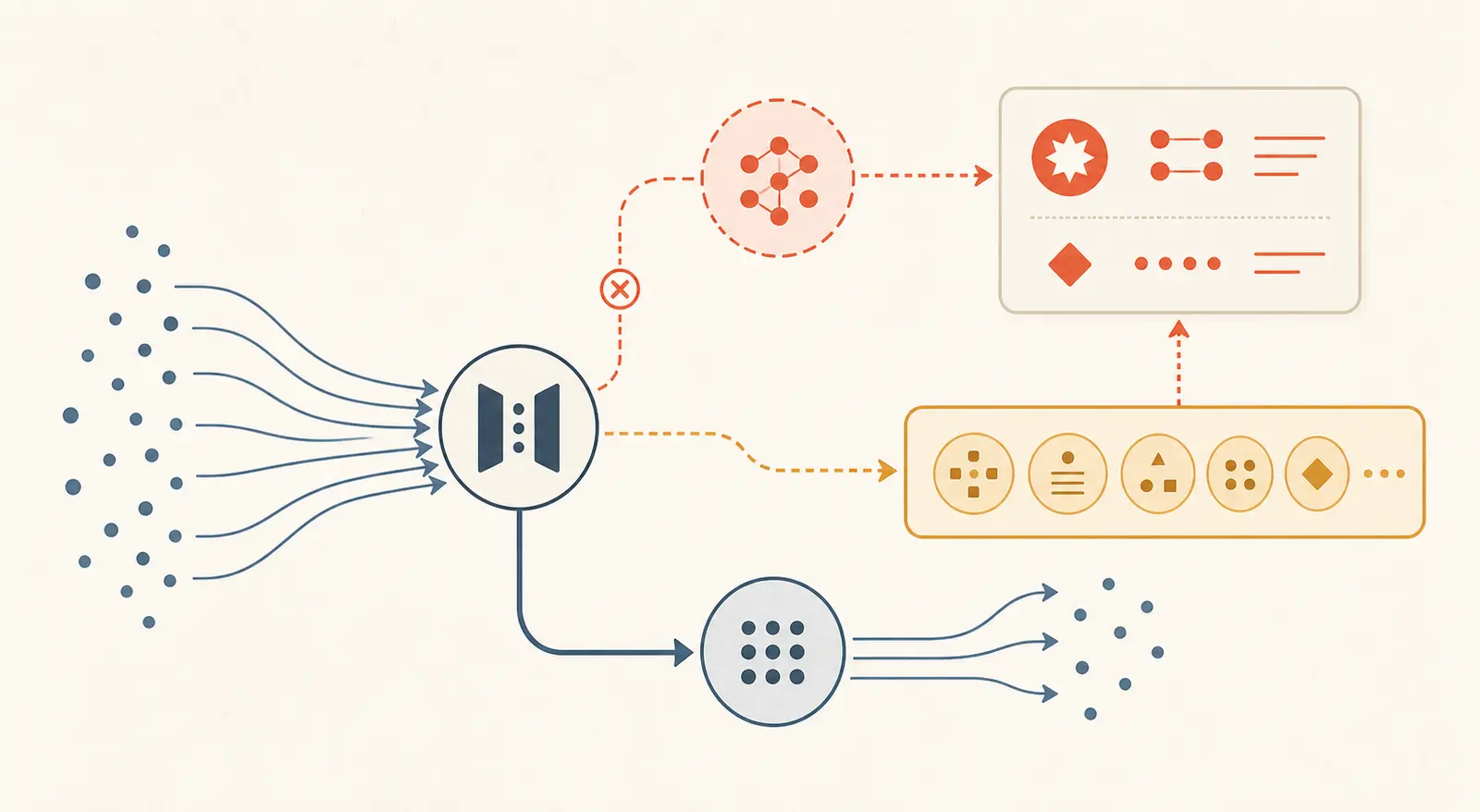
Require human approval when the candidate action is consequential, difficult to reverse, ambiguous, externally visible, or outside a clearly bounded policy. The approval should cover the exact action, target, arguments, and relevant evidence. It should not be a vague “AI is allowed” switch.
Keep the decision and execution separate. The AI can propose a normalized action. A policy layer can check the request. A reviewer can approve or reject the presented action. The executor should recheck the approval, current state, permission, and target before applying the side effect.
The reviewer must be able to see what will happen, not only what the model said. Show the target, changed fields, supporting sources, uncertainty or missing information, and any policy reason for escalation. Make reject, edit, and expire normal outcomes. Silence should not count as approval.
This is related to the owned guide on human-in-the-loop AI agents, but the rollout question is narrower. You are deciding whether the feature should be exposed at all, and whether the approval boundary survives every exposure stage. A human approval button does not help if the candidate can bypass it through another tool path or if the executor trusts stale validation.
Approval does not replace evaluation
Human review reduces the chance of an unapproved action reaching the user or system. It does not prove that the feature is useful, fast enough, or safe to scale. Reviewers can miss patterns, become overloaded, or approve a confusing draft because the alternative is slow manual work. Track approval, rejection, edit, escalation, and correction signals, and sample the full workflow.
The right question is not “is there a human in the loop?” It is “which decision does the person control, what evidence do they see, and what happens when they do nothing?” Those answers belong in the feature contract.
What security and privacy checks belong before live exposure?
Start with data and authority, then add model-specific checks. A safe AI feature should have a declared data boundary, a minimum necessary access path, a policy for sensitive content, and a way to revoke or narrow access quickly.
Before live exposure, verify:
- which user, tenant, or service identity makes each request;
- which records the feature may read;
- which content may be sent to a model or external provider;
- how prompts, outputs, traces, and feedback are retained;
- whether user-provided text can influence tools or policy decisions;
- whether retrieved content is treated as data rather than authority;
- which actions require separate authorization;
- what happens when a provider or connector is unavailable;
- how an operator disables the feature for one cohort or all cohorts;
- how incidents and deletion requests are handled.
NIST AI 800-4 notes that AI systems are often embedded in larger workflows and that common benchmarks do not measure every surface of those systems (NIST AI 800-4). That is why the rollout review should inspect the data path, interface, tools, and operating process, not only prompt-output pairs.
Do not add a security claim that the sources cannot support. A prompt instruction is not a permission boundary. A model refusal is not an authorization system. A user confirmation is not proof that the target has not changed since the confirmation. Enforce the boundary in code, policy, identity, and execution, then use the model as one component inside it.
Use realistic abuse and misuse cases
Add cases where the input tries to change the feature's rules, requests data outside the user's scope, includes conflicting or malicious retrieved text, or creates an ambiguous target. The goal is not to prove perfect protection. The goal is to learn whether the candidate stays inside the contract and whether the feature can detect, refuse, or escalate the case.
For every case, define the expected product behavior. It may be a refusal, a question, a policy denial, a human escalation, a safe fallback, or a logged incident. “The model should be careful” is not a test condition.
Worked example: rolling out an AI support-reply draft
Consider a support product that currently gives agents a blank reply editor. The proposed feature retrieves approved policy documents and the current ticket, drafts a reply, and shows the draft to the agent. The agent can edit, reject, or request a new draft. The agent still presses Send.
This is a useful example because the AI creates a user-visible artifact, but the feature boundary can keep the external side effect with the human. The example is hypothetical. It is not a client result, a measured test, or a claim that this system exists.
Stage 0: define the contract
The product owner writes:
- user job: prepare a reply that addresses the open issue;
- permitted data: current ticket, customer-visible history, approved policy documents;
- forbidden data: unrelated customers, internal notes not intended for the agent, credentials, and unapproved policy drafts;
- candidate output: editable reply and source references;
- forbidden action: send, refund, close, or change the ticket automatically;
- fallback: the existing blank editor;
- acceptance signals: agent can review, edit, reject, and send manually;
- stop conditions: cross-customer data, unsupported policy promise, automatic send, missing audit record, or a broken manual editor;
- owner: support product owner for scope, support on-call for pause, security owner for data boundary.
The team also defines what “good” means. A draft should address the question, use current approved policy, avoid inventing a commitment, and make uncertainty visible. It should not be graded only on grammar.

Stage 1: test the feature path offline
The suite contains sanitized tickets representing normal questions, missing order information, conflicting policy documents, policy exceptions, abusive requests, and requests that should be escalated. Each case records the expected data boundary and final workflow state.
The graders check that:
- only permitted sources were retrieved;
- the draft is attached to the correct ticket;
- source references point to approved documents;
- no send or ticket mutation occurred;
- the draft addresses the issue and does not promise an unapproved outcome;
- a missing source or model timeout reaches the editor fallback;
- the audit event records the feature version and policy version.
The current manual editor is the baseline for completion and time. The team does not claim that the AI is better merely because the draft is fluent. If the feature does not beat the baseline on the user's actual job, keep it in development.
Stage 2: use it internally
Enable the feature for a small group of support agents who can explain failures. Keep the blank editor available and make the AI action explicit. Show source references and a visible “draft” state. Record accepted, edited, rejected, and regenerated drafts, along with latency and fallback activation.
Review a mixture of cases, not only drafts agents chose to send. A rejected draft may expose a useful failure. An accepted draft may still contain a subtle policy error. Reviewers should compare the draft with the ticket and source policy, not just with the final message.
The team should be able to disable the feature without redeploying the support application. The manual editor should work after the flag is turned off. If support agents cannot finish tickets during the pause, the fallback is not ready.
Stage 3: shadow the candidate where it adds evidence
Copy eligible ticket inputs to the candidate path while the current editor remains the only user path. Ensure the candidate cannot call send, refund, close, or any external side-effect tool. Compare retrieval, output structure, latency, errors, and draft quality through a controlled review process.
Shadowing is especially useful for discovering production-shaped inputs that the offline suite missed. It is not sufficient to prove whether agents will trust the draft, edit it, or understand its source references. Those questions require an active cohort.
Stage 4: canary a stable cohort
Expose the draft to a clearly identified group of agents. Keep the manual editor and the send boundary. Set a review window that covers enough normal support work for the team to observe the intended workflow, including slow periods and edge cases relevant to the business.
At the gate, review:
- verified draft creation;
- source access and policy grounding;
- edit, reject, regenerate, and send behavior;
- latency against the support workflow;
- fallback activation and dependency errors;
- support-agent feedback and correction reasons;
- privacy and permission events;
- any draft that attempted to cross the action boundary.
One unauthorized send is a veto even if adoption and latency look good. A small rise in edit rate may be a quality problem or a useful signal that agents are using the feature for harder cases. Read the cases before changing the threshold.
Stage 5: expand by evidence, not confidence
If the feature passes the agreed gate, expand to another cohort or workflow. Re-run the regression suite and review whether the new cohort has different data, policy, language, or support patterns. Keep the old editor and the pause control until the new path has survived the expansion.
When the feature reaches the intended audience, continue sampling and add confirmed failures to the evaluation suite. Full exposure is not the end of the rollout. It is the point at which the evidence loop becomes routine product operation.
A complete rollout procedure
Use this procedure when the feature is real enough to plan exposure but not yet trusted enough for broad use.
- Name the user job. Write one outcome the feature is meant to improve. Include the current path so you have a baseline.
- Set the feature boundary. List what the AI may read, produce, recommend, and change. Split proposal from execution when the consequence differs.
- Classify consequence. Choose the highest-impact behavior, including edge paths and integrations.
- Choose a fallback. Exercise the off path under model failure, provider failure, policy denial, and operator pause.
- Build representative cases. Include normal work, missing context, conflicts, failures, misuse, and known incidents. Define outcomes and graders.
- Freeze a release record. Version the code, prompt, retrieval, policy, tools, flag configuration, evaluation suite, and ownership.
- Run offline evaluation. Verify outcome, action, authority, operating limits, and user-visible behavior. Read failures.
- Pick the first exposure mode. Use shadow for safe observation, internal use for workflow learning, simulation for side effects, or an approval-gated canary for consequential actions.
- Instrument the live decision. Join flag variant, candidate version, cohort, traces, outcomes, fallbacks, feedback, and support events.
- Write stop conditions. Separate vetoes from thresholds. Give a person permission to pause the candidate.
- Run the first gate. Review the evidence against the baseline and the feature contract. Record continue, reduce scope, pause, or rollback.
- Increase exposure deliberately. Change one meaningful variable at a time where possible. Keep the fallback and previous evidence.
- Re-run after behavior changes. Prompt, model, retrieval, tool, policy, UI, data, or flag changes can alter the feature contract.
- Turn failures into assets. Add a confirmed failure to the regression suite, update the contract, improve monitoring, or narrow the boundary.
- Schedule the review. Recheck current provider behavior, APIs, policies, and the rollout assumptions before the page or feature goes stale.
This procedure does not prescribe a universal tool or traffic percentage. The property that matters is a visible, reversible exposure decision connected to evidence.
What commonly goes wrong during an AI feature rollout?
Most rollout failures are boundary failures. The team has a test, a flag, or a dashboard, but each one answers a narrower question than the release requires.
| Failure mode | Why it happens | Better correction |
|---|---|---|
| The demo is treated as approval | The team confuses one successful conversation with a product contract | Define outcome, forbidden behavior, fallback, and evidence before exposure |
| The model is canaried but the feature is not | Routing protects the endpoint while UI, retrieval, tools, or permissions remain unchanged | Version and evaluate the whole feature path |
| Shadow mode is called production validation | The candidate never faces user interaction or action boundaries | Follow shadow with a bounded live or approval-gated stage when those signals matter |
| The flag only hides the button | Direct requests bypass the interface control | Enforce server-side authorization and action checks |
| A single percentage is copied | Traffic allocation is treated as a risk threshold | Choose exposure by consequence and evidence needed |
| The cohort changes between requests | Targeting is evaluated without a stable key | Assign and record a stable user, session, tenant, or job cohort |
| Rollback is only a deployment command | No one tested the product fallback or side-effect recovery | Exercise the off path and write the recovery procedure |
| The agent says it succeeded | The final response is counted instead of the environment state | Verify the source of truth and trace |
| Quality is averaged over safety | Good drafts hide one unauthorized or harmful action | Treat critical safety and authority failures as vetoes |
| Human review is decorative | The reviewer sees a summary, not the exact action and evidence | Present a normalized action, target, sources, and approval state |
| Monitoring logs everything | Raw prompts and outputs create unnecessary data exposure | Capture identifiers and structure first; make content capture explicit |
| Monitoring starts after full exposure | The team wants a clean dashboard before launch | Instrument the first internal and shadow stages |
| Support feedback is ignored | The team watches latency and model scores only | Add correction, rejection, escalation, and complaint signals |
| The flag never expires | Temporary rollout controls become hidden architecture | Add an owner, review date, removal condition, and cleanup task |
The pattern behind these failures is easy to state: a control is only useful if it protects the decision the team is actually making. A model score does not protect a permission decision. A UI flag does not protect an API action. A rollback switch does not reverse a sent message.
What if traffic is low, quality is subjective, or rollback is weak?
Use a narrower question and a richer review process. Low traffic changes the evidence window, so wait for a relevant business cycle, use internal or simulated cases, review every eligible interaction for a period, or keep the feature approval-gated. A small qualitative review can reveal a permission gap or confusing interface. It cannot establish a stable error rate for rare events.
For subjective quality, use a rubric with observable dimensions such as factual support, relevance, policy compliance, clarity, disclosures, and editability. Calibrate model graders against domain reviewers, inspect disagreements, and version the rubric. Adoption is not a safety proxy. People may accept a feature because it saves time while missing a subtle error.
If rollback is weak, reduce authority before releasing. Move from automatic action to proposal, route writes to review, keep the candidate read-only, use a sandbox, or add a manual override. An AI draft that a person must send is a different release from an AI sender. If a feature cannot be paused without a deployment, make that control a prerequisite.
The release record should say which claims are measured, which are reviewed qualitatively, and which remain unknown. Do not manufacture confidence from a handful of cases.
What if the model changes but the feature contract does not?
Treat it as a behavior-changing release. Re-run the feature suite, compare with the current path, shadow or canary the candidate, and record the model version. An unchanged UI does not prove unchanged behavior. Infrastructure patches, context limits, timeouts, routing, and retrieval dependencies can alter the feature too.
For model-comparison mechanics, use the existing AI model rollout guide. Keep this page's feature contract in view: the candidate must preserve the user outcome and control boundaries around the endpoint.
How should the team learn after launch?
Treat every confirmed production failure as one of four things: a new evaluation case, a monitoring signal, a contract correction, or a scope reduction. Do not patch only the prompt and move on. The failure may show that the feature promise is too broad, the fallback is weak, the data boundary is unclear, or the reviewer lacks the right evidence.
Maintain separate capability and regression coverage. Capability cases ask whether the feature can do something new or difficult. Regression cases protect behavior that already works. Anthropic describes this distinction as important for preventing a new improvement from breaking an existing behavior (Demystifying evals for AI agents).
Review the release record after every material change. The material changes include:
- model or provider;
- system or developer instructions;
- retrieval source, ranking, or permissions;
- tool schema or action policy;
- UI, labels, or confirmation flow;
- feature flag targeting;
- data retention or redaction;
- fallback implementation;
- evaluation grader or threshold;
- monitoring or alert routing.
Keep a small decision log for each gate:
release: support_reply_draft_v1
candidate: prompt-17 / retrieval-08 / policy-04 / code-31
exposure: internal-support-team-a
decision: continue to bounded canary
evidence_reviewed:
  - offline regression suite
  - sampled draft review
  - fallback fault test
  - permission and audit checks
unresolved:
  - low-volume weekend traffic
owner: support-product
pause_owner: support-on-call
next_gate: after the next defined operating window
This record shape lets another operator understand the decision without reconstructing it from chat messages and dashboards.
A final decision rule for safe AI feature rollouts
Do not ask whether the model is ready in the abstract. Ask whether this feature, with this boundary, in this workflow, has enough evidence for the next exposure stage and a safe path back.
The feature is ready for bounded rollout when:
- the user job and baseline are explicit;
- the candidate boundary includes data, tools, and side effects;
- representative cases test the whole product path;
- critical safety and authority failures are vetoes;
- the fallback works when the candidate and dependencies fail;
- the exposure mode matches the evidence you still need;
- the cohort is stable and recorded;
- live signals include verified outcomes, not only model responses;
- a named person can pause exposure;
- rollback and side-effect recovery have been rehearsed;
- the next review date and owner are written down.
The principal exception remains high-impact action. If the feature can make an irreversible or consequential decision, keep the action behind independent authorization and human or policy review until the controls are strong enough for the domain. A smaller canary limits blast radius. It does not change the nature of the action.
When Marius Manolachi led a ChatGPT workshop at Orange, the starting point was the work people already did, not a fashionable architecture. That is the right starting point for a rollout too. Describe the real work, the real fallback, and the real consequence. Then choose the smallest exposure that can teach you something without asking users to absorb an avoidable failure. This is the permitted F-orange observation applied as a practical rule.
If your team cannot agree on the stop condition, pause the plan. Resolve the disagreement before an unclear product decision becomes a live incident.
Continue with a related field note
Questions people ask next
Should every AI feature launch in shadow mode?
No. Shadow mode is useful when the candidate can receive realistic inputs without returning its result or making side effects. It cannot prove user-perceived quality, adoption, or a write action that only happens when the candidate is active. Use internal or canary exposure when those signals matter.
What is the safest first live exposure for an AI feature?
Use a small, identifiable cohort with a stable fallback, named owner, monitored signals, and a pause control. The right cohort depends on consequence. Internal users may be appropriate for a draft feature, while a high-impact action may need approval-gated use or no live exposure.
How do you roll back an AI feature?
Turn the feature control back to a known fallback, preserve the candidate and trigger in an incident record, and review any side effects separately. Disabling new exposure does not undo messages, records, or decisions already created.
How much traffic should an AI feature receive first?
Do not treat a universal percentage as a safety rule. Choose the smallest cohort that can produce useful evidence without exceeding the consequence you can tolerate, then define the time, volume, and signal conditions that permit the next increase.
What should block an AI feature rollout?
Block on unauthorized or harmful behavior, missing audit evidence, an unavailable fallback, an unverified state change, or a critical regression. Treat quality, latency, cost, and support signals as thresholds agreed with the workflow owner before exposure.