Field note · implementation
How to Integrate an AI Agent With Existing Business Systems
Connect an AI agent to existing business systems with a contract-first adapter, read-only pilot, approval-gated writes, and verifiable outcomes.
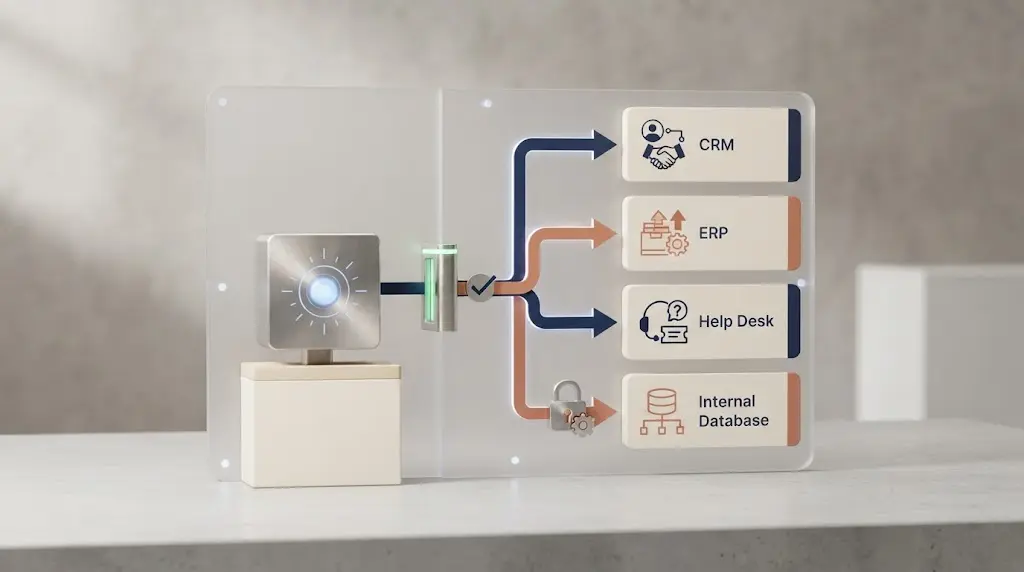
Most business systems were built for people and deterministic integrations. An AI agent adds a variable decision-maker to that chain. The hard part is not making the model call an API. It is deciding what the model is allowed to see, what the business system still owns, and how you will know the work actually happened.
When I taught product managers who went from writing specs to building and shipping the product, and automating work around it, the recurring failure was not a missing model. It was that nobody could say what done meant. The same gap appears in agent integrations: a successful tool response is not the same thing as a completed business outcome. That distinction is the starting point.
The integration boundary is the real design decision
Keep the agent outside the system of record and put a small, task-shaped adapter between them. The adapter translates the agent's request into an approved business operation, applies the application's rules, and returns a result that can be checked against the real workflow.
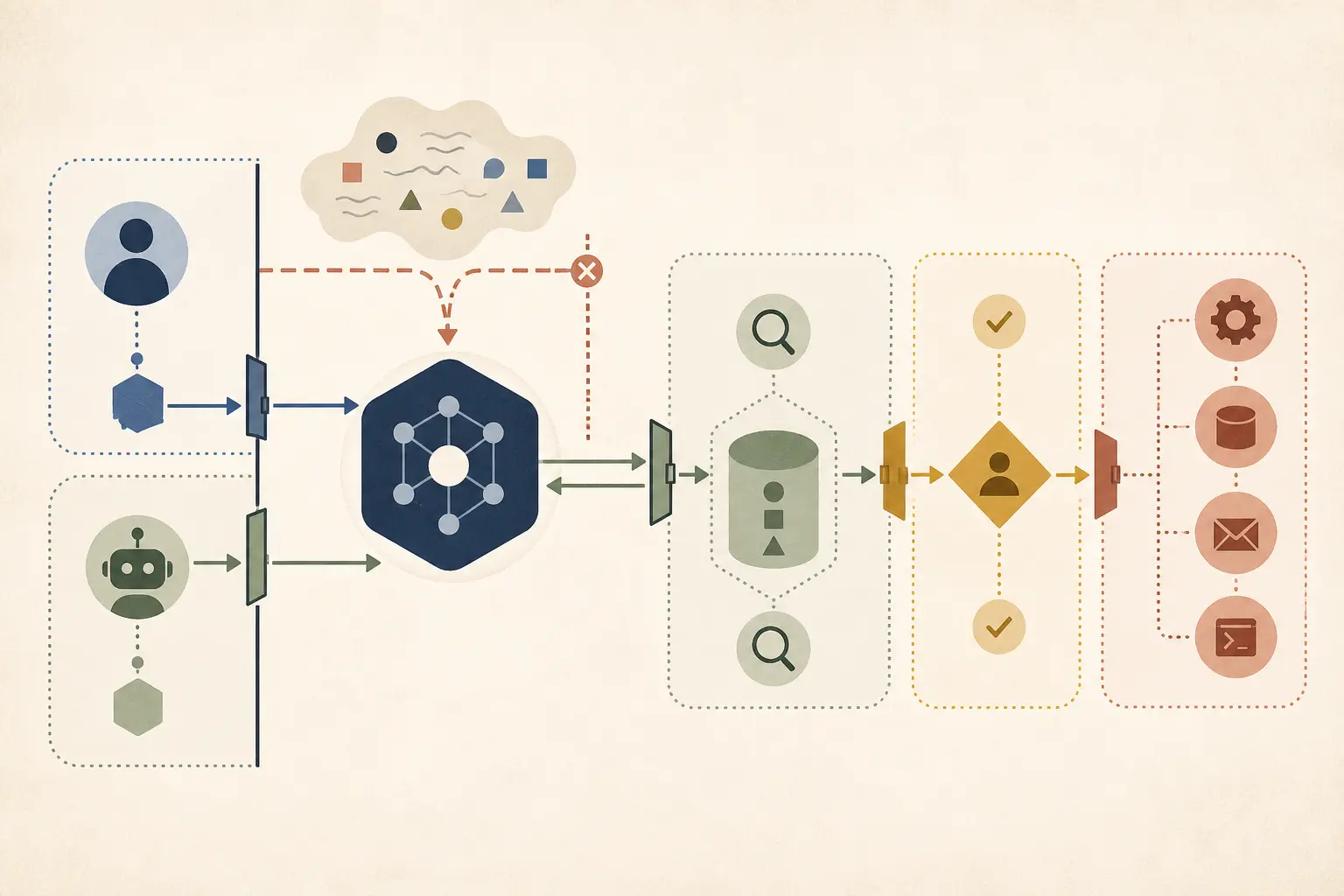
Marius Manolachi's integration boundary rule: an agent should see business operations as typed, task-shaped tools that return verifiable states, while the system of record remains authoritative and every write crosses an explicit approval boundary.
This is a design rule, not an industry standard or a measured benchmark. It gives you a clean ownership model:
user or event
     -> agent runtime
     -> task-shaped adapter
     -> approved operation in an existing system
     -> structured result and business-state verifier
     -> system of record remains authoritative
OpenAI describes agents as systems that use tools to gather context and take actions in external systems, with defined guardrails (OpenAI's practical guide to building agents). AWS makes the same boundary visible at the enterprise applications layer: existing systems can expose business logic, system-of-record access, process automation, and secure delegation to agentic capabilities (AWS's enterprise applications guidance).
The exception is a workflow that does not need an agent. If fixed rules or a fixed LLM workflow can meet the same acceptance condition, keep the path deterministic. Anthropic recommends adding agentic complexity only when the extra flexibility earns its cost and latency (Anthropic's guide to building effective agents).
What should you integrate first?
Integrate one valuable workflow, one authoritative system, and one adjacent action. Do not begin by connecting every system the company owns.
Choose the first workflow with this table:
| Question | Start here | Do not start here |
|---|---|---|
| What triggers the work? | One event, request, or queue item | A vague goal such as “run operations” |
| Where is the truth? | One named system of record for the key business object | A model-maintained copy of a customer, invoice, or ticket state |
| What context is required? | The smallest set of records that lets an owner judge the case | A full database dump or every document in the company |
| What can the agent produce first? | A recommendation, draft, classification, or reviewable case packet | An irreversible write that nobody can verify |
| What proves completion? | A changed business state or a reviewer-approved artifact | The agent's claim that it finished |
This is where the integration project becomes specific. “Connect the agent to our CRM” is not a workflow. “When a qualified support ticket arrives, retrieve the customer and order context, then draft a response for a support lead” is one.
Write the object and outcome before you choose a connector. OpenAI's business guidance treats tools as the way agents retrieve internal data, edit information, and call APIs. The tool list follows the job, not the other way around (A business leader's guide to working with agents).
Define the business outcome before the connector
Write a completion contract before you write an integration diagram. The contract names the object being changed or reviewed, the owner of the result, the evidence required, and the state that proves completion. A connector can move data between systems. It cannot decide whether the business considers the work finished.
For a support workflow, the contract might be: “For an assigned open case, assemble current customer and order context, draft a reply that addresses the selected issue, and leave the case waiting for support-lead approval.” The completion state is not “the model returned a draft.” It is “the draft is attached to the case, the required evidence is visible, and the case remains in the expected review state.”
Use this small worksheet before selecting an API, MCP server, queue, or UI automation tool:
| Contract field | Question to answer | Example |
|---|---|---|
| Business object | What record, request, or case is the workflow about? | One support case |
| Trigger | Why does this run now? | A new case enters the assigned queue |
| Responsible owner | Who can accept, reject, or escalate the result? | Support lead |
| Source of truth | Which system owns the current state? | Help desk case record |
| Agent contribution | What interpretation or draft is useful? | Evidence-backed reply draft |
| Required evidence | What must be visible before approval? | Order status, policy reference, and conflict warnings |
| Completion state | What proves the business work happened? | Draft saved and case moved to review |
| Stop state | When must the agent stop instead of guessing? | Customer, order, or policy data conflicts |
This worksheet separates three things teams often collapse into one. The trigger starts work. The agent produces an interpretation or proposal. The system of record stores the authoritative state. A fourth component, the verifier, checks whether the expected transition or artifact exists.
The contract also gives you a way to reject a tempting use case. “Let the agent manage incoming leads” is too broad because it hides several objects and owners. “For a new inbound lead, enrich the company record, classify the request, and draft a follow-up for a sales representative” is narrower. Even then, enrichment, classification, and drafting may belong to different steps with different permissions. The first pilot might cover only classification and drafting.
Do not confuse business value with an autonomous action. A reviewable case packet can save time without changing a customer record. A proposed invoice exception can expose missing information without approving a payment. A classification can route work without pretending that the classification is the final decision. These are useful outcomes because they shorten a human task while leaving the owner in control.
The principal exception is a low-consequence workflow whose result is naturally disposable, such as sorting an internal reading queue. There may be no durable business state to update. Even there, define what “useful” means: the item appears in the right queue, the classification is visible, or the person can correct it without losing the original. If the team cannot describe the acceptance condition in one sentence, it is not ready to connect the agent to production data.
Which connection surface fits the existing system?
Use the most direct interface that preserves business rules and gives you a verifiable result. APIs are the default for transactional operations, events are the default for asynchronous triggers, and UI automation is the fallback for systems that expose no usable interface.
| Existing capability | Use this surface | Good first use | Main exception |
|---|---|---|---|
| Stable API or domain service | API-backed tool | Retrieve a case, check status, create a draft, or submit an approved change | Do not bypass rules by writing directly to storage when the API owns them |
| Reliable event or webhook | Event trigger plus an agent run | Start work when a ticket, invoice, lead, or status changes | Do not assume an event means the downstream state is already available |
| Readable relational data | Read-only view or query service | Reporting, retrieval, or context assembly | Prefer a domain service for writes and sensitive business decisions |
| Scheduled exports or files | File exchange with validation | Legacy batch systems, reconciliations, and controlled imports | Freshness and duplicate delivery must be explicit |
| No usable API, but a stable UI | Isolated UI or computer-use adapter | A narrow, low-consequence lookup or draft step | Avoid it for high-consequence writes until state can be independently verified |
| Reusable tool server or cross-agent capability | MCP tool surface | Share a small set of tools across agents and applications | MCP standardizes the tool boundary; it does not define your business policy |
AWS identifies tools, events, and direct data access as integration approaches for enterprise applications. Microsoft documents a similar split: MCP tools support synchronous interactions, queue-based tools suit asynchronous work, and OpenAPI-described functions can expose existing HTTP services (Microsoft's Azure Functions guidance).
OpenAI's practical guide also acknowledges the awkward case: legacy systems without APIs may require a computer-use model to interact through the application's UI (OpenAI's tool guidance). Treat that as an adapter around a legacy surface, not permission for the model to click through an entire operating process without a verifier.
MCP is useful when tool definitions need to be shared across clients or agents. The current specification defines named tools and structured tool results, including server-produced structured content (MCP's tools specification). It is a transport and interface choice. It does not decide which system owns the truth or which writes require approval.

How much context should the agent receive?
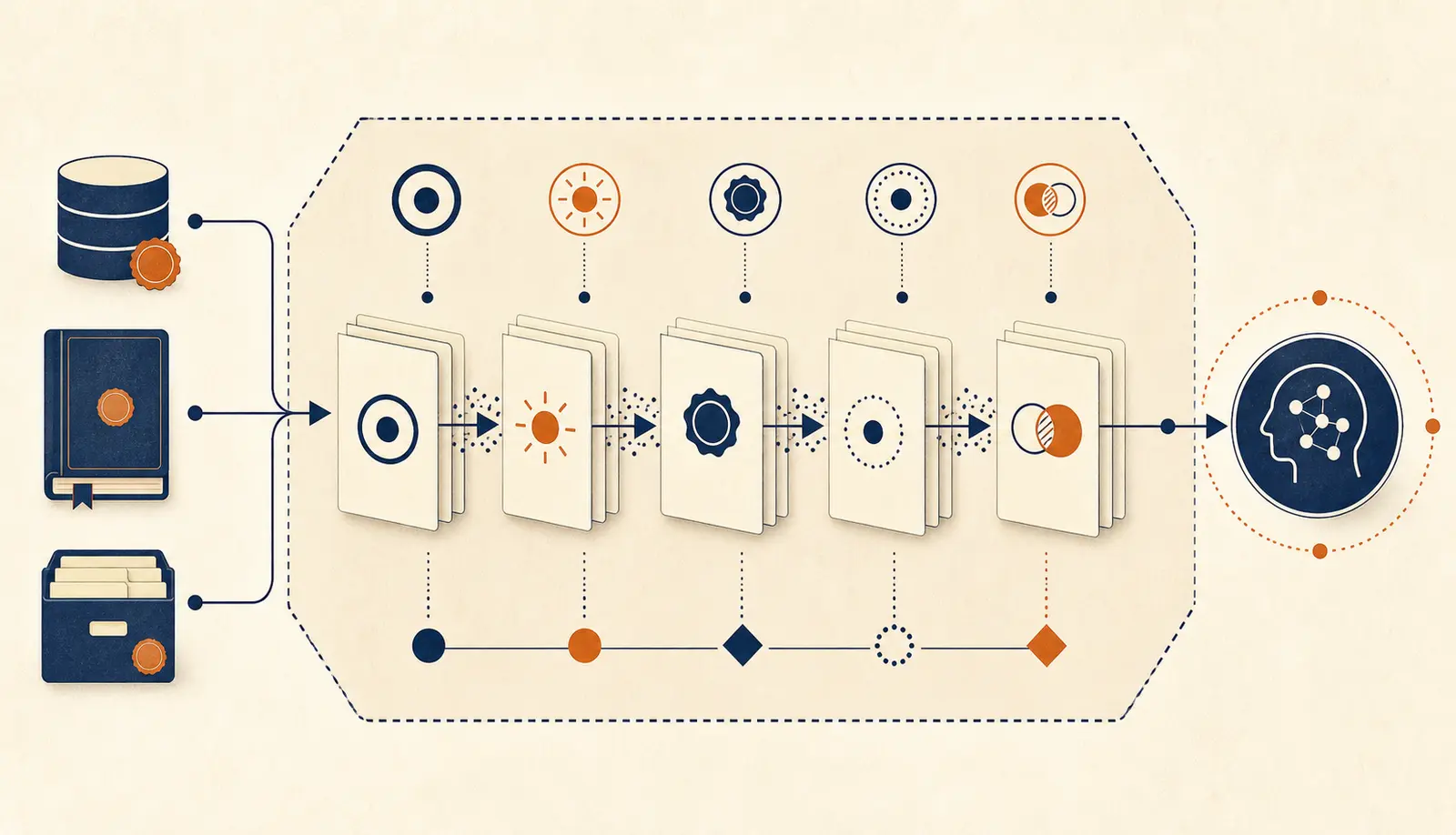
Give the agent the smallest context that lets it make the next decision, and make every important field traceable to a source record. More context does not automatically make an integration safer. It can increase exposure, stale information, irrelevant tool choices, and the chance that an old note is treated as current policy.
Start with a context slice rather than a database connection. A context slice is a task-specific view of the records and fields needed for one decision. For a support case, that might include the case text, current status, customer identifier, relevant order status, recent escalation, and the policy version used for the draft. It does not need every historical ticket, every customer attribute, or every internal note.
The adapter should shape this slice and label its limits. A useful result can say which records were found, when they were read, whether values disagree, and which fields were intentionally omitted. The agent can then reason over a known boundary. If the adapter returns a polished paragraph without record identifiers or timestamps, a reviewer cannot tell whether the conclusion came from current business state or an accidental mixture of old and new data.
Use a context contract like this:
| Context property | Minimum useful behavior | Failure that must be visible |
|---|---|---|
| Record identity | Include the object ID and the system that supplied it | The result combines records with similar names |
| Read time | Include a timestamp or freshness class | The data may be too old for the action |
| Field authority | Mark which system owns each important value | A note or cache is treated as the official state |
| Completeness | State required records that were not found | The agent assumes an empty response means no issue |
| Conflicts | Return competing values instead of silently selecting one | The agent writes a choice nobody approved |
| Scope | Enforce tenant, role, region, and case boundaries | The context crosses a permission boundary |
| Provenance | Preserve links or references to source records | A reviewer cannot inspect the evidence |
Freshness is a business rule, not a decorative timestamp. A customer address may be acceptable for a draft if it is a few minutes old, while an account balance or access entitlement may need a fresh read immediately before approval. Define freshness per field or operation when the consequences differ. Do not make the model guess whether “recent” means five minutes, one hour, or the latest nightly export.
A missing value needs its own state. null, an empty array, and “not found because access was denied” are not interchangeable. The first may mean that the business object has no value. The second may mean no related records exist. The third means the agent is not allowed to conclude anything. Return explicit status values such as found, not_found, stale, conflict, and not_authorized where they affect the decision.
The same applies to documents. Retrieval can provide useful context, but the document index is not automatically the owner of a customer status, payment amount, or access right. Let the system that owns the value answer those questions. Use documents for policy, explanation, history, or supporting evidence, and show the document version or effective date when policy changes matter.
Avoid a single “customer_context” tool that returns an enormous, mixed-purpose object. It sounds convenient, but it makes permissions and freshness hard to reason about. Separate a narrow case-context read from an order-status read when the two systems have different owners or access rules. The extra call is often easier to audit than one opaque response.
The exception is a read-only analytical workflow where broad context is the point of the task. Even then, expose a bounded reporting view with an explicit time range, dimensions, and access policy. Do not turn a reporting need into unrestricted natural-language database access. A human analyst may explore widely, but the agent still needs a controlled surface that can be logged and reviewed.
How should the adapter expose business operations?
Expose business operations, not raw database tables or a bag of generic HTTP methods. The agent should be able to choose a small operation whose purpose is obvious, whose inputs are bounded, and whose result says what the system actually found or changed.
Use this contract for every first tool:
| Field | What to define |
|---|---|
| Name and purpose | One verb and one business job, such as get_invoice_case_context |
| Input | Typed identifiers and bounded filters, with required and optional fields explicit |
| Identity context | Which user, role, or service identity the operation runs as |
| Freshness | When the result was read and what stale data means |
| Side effects | None, draft-only, approval-required, or approved write |
| Result | Structured fields that a person or verifier can inspect |
| Failure states | Missing record, conflict, stale data, permission failure, unavailable system, or partial result |
| Business reference | The record ID, version, event ID, or approval ID that ties the result back to the system |
| Approval boundary | Whether the agent can call it directly or must produce a proposal |
For example, a support integration might expose:
{
  "name": "get_support_case_context",
  "purpose": "Retrieve the current ticket, customer, order, and prior escalation state for one support case.",
  "input": {"case_id": "string"},
  "result": {
    "case_id": "string",
    "system_state": "open | waiting | escalated | closed",
    "evidence": [],
    "read_at": "timestamp",
    "conflicts": [],
    "can_draft_reply": true
  },
  "side_effects": "none"
}
The important part is not the field names. It is the ownership. The adapter fetches and shapes the current state. The agent interprets it and proposes the next step. The support system remains the authority for whether the case is open, escalated, or closed.
What belongs in the adapter and what belongs in the agent?
Put deterministic translation, policy enforcement, identity checks, and state verification in the adapter or the systems behind it. Put interpretation, comparison, drafting, and bounded choice in the agent. This division keeps the model useful without making it the owner of business rules.
| Responsibility | Adapter or existing system | Agent |
|---|---|---|
| Authentication and caller identity | Resolve the caller and apply the permitted role | Request the next tool only within the available identity context |
| Input validation | Enforce types, ranges, required IDs, and allowed operations | Fill the fields from the user's request or retrieved context |
| Business invariants | Reject an invalid status transition or forbidden combination | Explain the rejection and ask for a safe next step |
| Data retrieval | Read current records and return provenance | Decide which returned facts matter to the task |
| Interpretation | Expose policy and state without deciding a subjective answer | Compare evidence, classify, summarize, or draft |
| Side effects | Apply approved changes and return the resulting state | Propose an action or call an allowed operation |
| Verification | Check the system's final state or artifact | Report what was verified and what remains unknown |
This does not mean every rule must be written in code before the agent can help. A policy may be supplied as retrieved text for interpretation. The boundary is about ownership. If a rule must always hold, the system enforcing the write should enforce it too. A prompt can explain a rule; it should not be the only place that prevents an invalid transaction.
Consider a request to move a support case from open to resolved. The agent can determine that the customer appears satisfied and draft a resolution note. The adapter should check whether the case is still open, whether the current user may resolve it, whether required fields are present, and whether the transition is valid. After the operation, it should return the actual status and a record reference. The agent should not announce resolved because the tool call was accepted. It should report the returned state.
The adapter also gives you a stable place to translate vendor-specific systems. If one help desk uses pending_customer and another uses waiting, the agent can receive a normalized state while the adapter retains the source value. Normalization is useful only when the differences are documented. Do not map several distinct states to active merely to make the schema look simple. Lost distinctions become agent mistakes later.
Keep tool names tied to business actions. get_support_case_context tells the agent what it can learn. update_case_status tells it that a side effect exists. call_crm or run_sql hides too much. A small tool catalog also reduces the chance that two operations appear interchangeable when their permissions or consequences differ. Anthropic's guidance recommends clear tool descriptions, input requirements, edge cases, and boundaries for the same reason (Anthropic's guide to building effective agents).
Return errors as usable states, not only transport failures. An unavailable backend, a permission denial, a validation rejection, and a business conflict require different next steps. The agent can ask the user for missing information after a validation error. It should escalate or stop after a permission denial. It may retry a temporary backend failure if the operation is safe to retry. It should not retry a rejected business transition as if the service had simply timed out.
The exception is a purely generative step with no external state, such as rewriting an approved internal note. There may be no adapter beyond the content boundary. The same principle still helps: preserve the original input, label the generated output, and let a human or downstream system decide whether the output becomes authoritative.

Anthropic recommends giving tool definitions the same care as prompts, with clear purposes, edge cases, input requirements, and boundaries. Its guidance also warns that overlapping tools make selection harder (Anthropic's tool-design guidance). For the deeper problems, use the existing guides on least-privilege tool access, input validation, and idempotent tools. This article only establishes where those contracts sit in the integration.
How should identity and writes cross the boundary?
Start with the identity and permission model you already trust, then add the agent as a bounded caller. Begin with read-only context. Move to drafts or recommendations. Add a write only after a person or an independently defined rule can verify the proposed change.
| Access stage | Agent can do | Required proof before moving on |
|---|---|---|
| Read | Retrieve approved context and report conflicts | The result is fresh enough, scoped, and traceable to the source system |
| Recommend | Produce a draft, classification, or proposed next action | A reviewer can judge the evidence and expected result |
| Approval-gated write | Submit one explicit action after approval | The action is bounded, the final state is verifiable, and the owner accepts the residual risk |
| Autonomous write | Execute within a deliberately narrow operating policy | Representative cases, safe failure behavior, auditability, and a business reason for removing approval |
This ordering is a recommendation, not a universal law. A low-consequence, reversible update may move faster. A payment, deletion, legal commitment, access change, or customer-facing decision may need a person indefinitely.
If the integration uses MCP over HTTP, authorization is still an application concern. The current MCP authorization specification describes OAuth-based discovery and protected resource metadata, but it does not choose your business roles or approve a transaction (MCP's authorization specification). Keep that distinction visible: protocol authorization gets a client to a server; business authorization decides whether this user and this workflow may perform this operation.
How should you secure data and tool access?
Give the agent the same minimum access needed for the first workflow, with separate controls for reading context, proposing a change, and executing a change. Do not treat the model's instruction as a permission check. The adapter must enforce identity, tenant, field, record, and operation boundaries even when the request arrives through a natural-language path.
Start by writing the access matrix for the workflow:
| Resource or action | Read | Recommend | Write | Owner of the decision |
|---|---|---|---|---|
| Case summary | Assigned cases only | Include in a draft | Never changes the summary directly | Support lead |
| Order status | Current order linked to the case | Cite the returned state | No change in this pilot | Order system |
| Reply draft | Drafts for the assigned queue | Propose text and evidence | Save as a draft | Support lead |
| Case status | Current case status | Suggest a transition | Change only after approval | Help desk owner |
The matrix should name the boundary that matters. “Support access” is too broad. The first tool may be limited to cases assigned to the requesting team, orders linked to those cases, and a draft area. If a service account can read every customer or write every status, the model has inherited that risk. A role label in a system prompt does not reduce it.
Keep user identity and service identity distinct. The user may be allowed to request a draft while the service is allowed to read a narrow set of records. The adapter should record both identities and the reason the service was called. If the agent acts on behalf of a team, record the team context too. A reviewer needs to know who asked, which principal executed the operation, and which approval authorized a write.
Filter at the data boundary, not after the model has received the data. Redacting a value from the final response does not undo the fact that the model saw it. Restrict record selection and field selection in the adapter. For a support draft, a full payment card number, private employee note, or unrelated household member may have no place in the context at all.
Prompt injection is an integration concern when untrusted text can influence tool use. A customer message, ticket comment, document, or web page may contain instructions aimed at the agent. Treat retrieved content as data to interpret, not as authority to change permissions or call a new tool. Keep tool policy outside the retrieved text, validate all arguments, and require confirmation for operations whose consequence is material. OpenAI's guidance places tools and guardrails together for this reason (OpenAI's practical guide to building agents).
Separate read tools from write tools in names, schemas, permissions, and review. A tool that returns context should not accept fields that can mutate a record. A write tool should expose only the fields required for the transition, not a generic patch object if the destination can be changed in many unrelated ways. Narrow schemas make both model choice and human review easier.
Log enough to reconstruct the decision without copying sensitive data into every log line. Record the operation ID, tool name, caller, target record, policy version, result class, approval reference, and timestamps. Store sensitive payloads under the system's existing retention and access controls, or record a protected reference to them. Decide how long traces remain available and who may inspect them before the pilot starts.
MCP can help standardize how a client discovers and calls tools, but its authorization flow does not replace application roles. The MCP authorization specification describes OAuth-based discovery and protected resource metadata for HTTP transports. Your application still needs to decide which user may access which resource and which business operation may proceed (MCP authorization specification).
The exception is a harmless internal draft with synthetic or public data. You may use a lighter access matrix, but keep the same habit. When the workflow later receives production records, the boundary should be a known design element rather than a last-minute security rewrite.
How should transactions, retries, and duplicate requests behave?
Treat every agent-initiated write as a possible duplicate, interruption, or partial failure. Give the operation a correlation ID, an idempotency strategy, a bounded state transition, and a way to check the final state before reporting completion.
The model may call a tool twice because it did not see a response. A queue may deliver an event again. A user may press approve while a previous approval is still processing. These are normal distributed-system conditions, not unusual model failures. If the write creates a second refund, duplicate ticket, or second access request, the integration is unsafe even when the model chose the right action the first time.
For each write, decide the following:
| Question | Safer contract |
|---|---|
| What identifies this business action? | A stable operation ID tied to the source object and approval decision |
| What happens on a repeated request? | Return the original result or current state instead of creating another action |
| What can change in one call? | One explicit, bounded transition or one draft artifact |
| What if the source changed after approval? | Re-read the version and reject or request fresh approval |
| What if the backend times out? | Query by operation ID before retrying |
| What proves success? | The resulting state, version, event, or durable artifact |
An idempotency key is useful only if the receiving operation honors it. Passing a key in the prompt or logging it after the fact does not prevent duplication. The adapter or destination system must store enough information to recognize a repeated operation and return a consistent result. If the legacy system cannot do that, add a durable operation record in front of it and reconcile the resulting state before allowing another attempt.
Version checks matter when a human approves a proposal. Suppose the agent reads an invoice at version 12 and drafts an exception. A reviewer approves it. Before the write, another person changes the invoice to version 13. The adapter should compare the expected version with the current version and stop if they differ. The agent can then retrieve fresh context and produce a new proposal. Applying an old proposal to a new state is a business conflict, not a harmless retry.
Use an explicit lifecycle for asynchronous writes:
proposed -> approved -> accepted -> running -> completed
                         |             |
                         v             v
                      rejected       failed
The names can differ by system. The important point is to distinguish a request that was accepted by a queue from work that completed in the system of record. The agent should be able to report accepted without claiming completed. A polling tool or callback can provide the later state, while a human-facing case can remain visibly pending.
Do not let the language model invent a compensation action when a multi-system operation fails halfway through. If a workflow updates a CRM and then a billing system, define which state is authoritative and how reconciliation works. In some cases the correct behavior is to record an exception for an operator. In other cases the adapter can issue a documented compensating action. The rule belongs in the workflow design, not in an improvised follow-up prompt.
Approval should bind to the proposal, identity, object version, and allowed operation. “Approved” is not a general permission for the agent to keep acting. A useful approval record might contain the object ID, proposed fields, evidence references, expected version, approver identity, expiry, and operation ID. The write tool accepts that record and rejects changes outside its scope.
The exception is a draft-only action that has no external side effect. You still need to avoid duplicate clutter, but the risk is lower. Store drafts with a clear status and source reference, and let the user choose whether to promote one. The lower consequence may justify a simpler retry policy, but it does not justify pretending that a generated draft is a completed workflow.
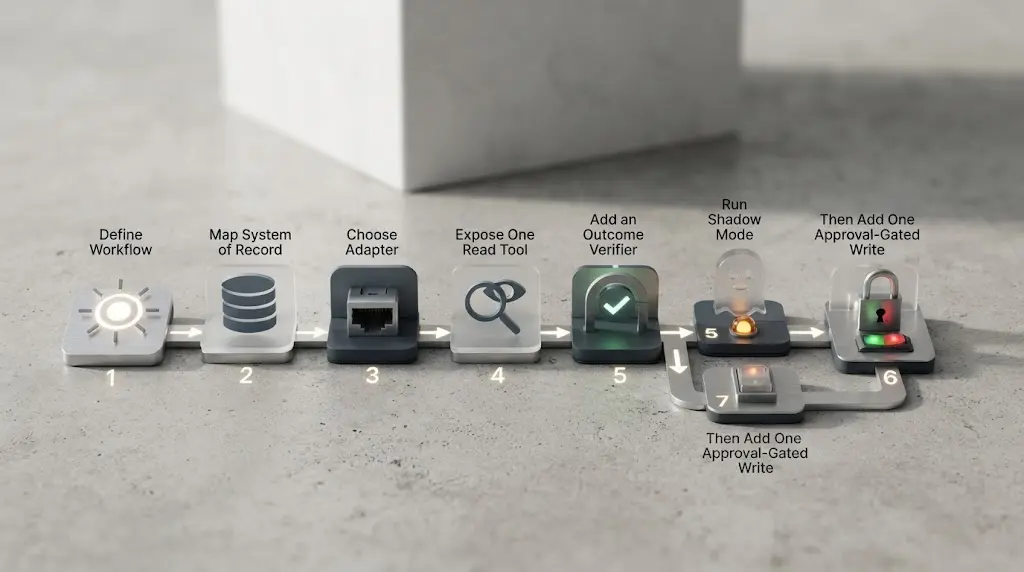
How do you build the first integration?
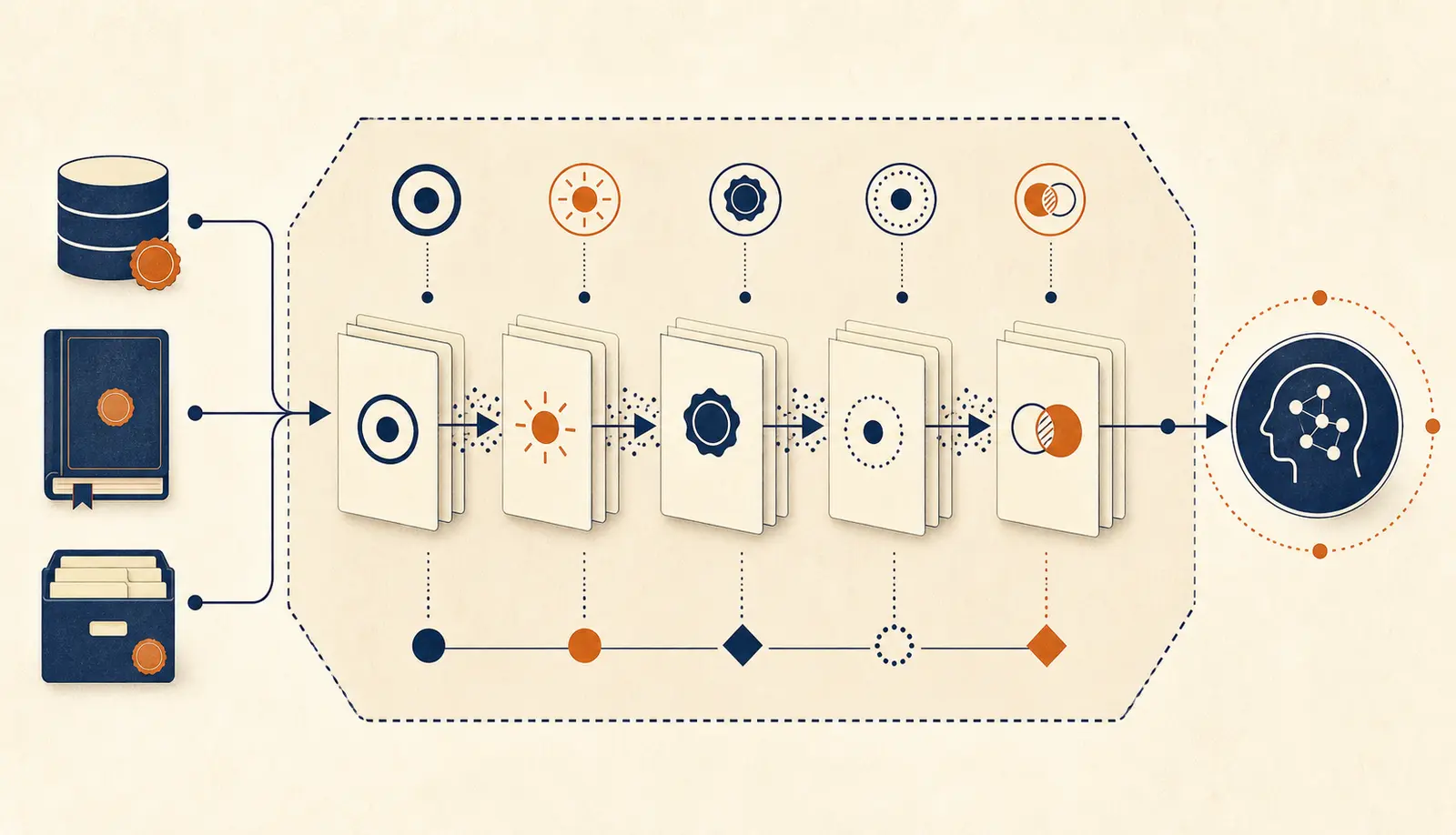
Use this sequence. Each step should produce an artifact the next step can inspect.
- Write the workflow sentence. Name the trigger, business object, owner, system of record, and verifiable result. If you cannot name the result, stop before tool design.
- Map the current path. Record where the object starts, which systems people consult, which rules they apply, and where the final state is stored. Include the boring manual steps. They are often the integration work.
- Choose one connection surface. Prefer an existing API or domain service. Use events for work that can run asynchronously. Use a read-only view for approved retrieval. Use files for controlled batch exchange. Keep UI automation narrow and temporary when no better surface exists.
- Expose one read tool. Return structured context, source references, timestamps, conflicts, and an explicit “not found” or “stale” state. Do not return a prose-only success message.
- Add the outcome verifier. Decide how the workflow owner will confirm that the case was resolved, the draft contains required evidence, the ticket entered the right status, or the proposed change matches policy. This is separate from judging whether the agent's wording sounds good.
- Run in shadow mode. Let the agent inspect representative cases and make recommendations without changing the live system. Compare its proposed outcomes with the existing process and record where the data, tool contract, or business rule is unclear.
- Add one approval-gated write. Open the smallest consequential action only when the input is bounded, the proposed state is visible, the final result can be checked, and a named owner accepts the remaining risk.
- Expand one operation at a time. A second tool or system adds another failure boundary. Add it because the workflow evidence says it is needed, not because the connector exists.
This order follows the shared logic in the OpenAI guidance on tools and guardrails, Anthropic's guidance on ground truth and stopping conditions, and AWS's enterprise applications guidance. None of those sources proves that your particular integration will work. They give you the parts to test.
How do synchronous and asynchronous integrations differ?
Use a synchronous call when the user needs a bounded answer now and the work can finish within the request's practical time and failure limits. Use an asynchronous job when the workflow may wait on a queue, human approval, a slow legacy system, or several downstream operations. The distinction changes the contract the agent must report.
| Workflow shape | Suitable boundary | Result the agent should report |
|---|---|---|
| Read one current record | Synchronous API or tool | The returned record state and read time |
| Draft from several fast reads | Synchronous orchestration with bounded calls | Draft status plus missing or conflicting context |
| Wait for approval | Durable proposal and approval event | Proposed, approved, rejected, or expired |
| Process a batch | Queue and worker | Accepted, running, completed, or failed with a job ID |
| Call a slow legacy system | Queue or controlled service wrapper | Job status and reconciliation result |
| React to a business event | Event consumer with deduplication | Event accepted and resulting workflow status |
Do not hide asynchronous work behind a synchronous sentence such as “the invoice was updated” when the only fact is that a message entered a queue. Return a stable job or operation ID and make the next status check explicit. The user may prefer a short wait, but the system still needs to preserve the difference between accepted and completed.
Events also need a freshness decision. An event can arrive before a related record is committed, after another update has superseded it, or more than once. The consumer should record the event ID, inspect the current source state when needed, and choose whether to retry, delay, merge, or stop. Do not assume event order unless the source guarantees it and the adapter preserves that guarantee.
Queue-based work needs a visible dead-letter or failure path. A failed job should not disappear into infrastructure logs while the agent keeps telling the user that the task is underway. The business case or request should show a failure state, an operator route, and the last safe action. Microsoft documents queue-based tools for asynchronous work and separates them from synchronous MCP and OpenAPI-described functions, which is a useful distinction even when your stack is not Azure (Microsoft's Azure Functions guidance).
For a human approval step, make expiry explicit. A proposal may become invalid when the source record changes, when policy changes, or when the approval window closes. An expired proposal should not be silently executed because the user approved an earlier message. The adapter can return approval_expired or version_conflict, and the agent can explain that fresh context is needed.
The exception is a short synchronous workflow that invokes several read tools but does not write. You can keep the user experience synchronous if the time and failure budgets are clear. Still cap the number of calls, surface partial context, and stop when a required source is unavailable. A fast answer assembled from half the required records is not a successful integration.
What changes when the system is old or incomplete?
Do not replace a core system just because it was not built for agents. Put a façade or controlled exchange in front of it, and be honest about what the façade cannot guarantee.
For an older system, use this fallback order:
- Find an official API, export, webhook, or read replica.
- Add a small service that translates the business operation into the legacy interface.
- Use scheduled files or queues when the workflow does not require immediate response.
- Use UI automation only for a narrow action with an independent state check.
- Keep a human on the path for any operation whose failure is expensive or difficult to reverse.
The interface can be old. The contract cannot be vague. A file import needs a version, freshness rule, validation result, and record reference. A UI action needs a post-action check against the actual system. A queue needs a status model that distinguishes accepted, running, completed, and failed.
Microsoft's current guidance explicitly presents queue-based tools for asynchronous work and Azure Functions for external dependencies, legacy integrations, complex operations, and long-running processing. That is a useful pattern even when your implementation uses different infrastructure (Microsoft's integration options).
How do you test an integration before production?
Test the boundary, the business outcome, and the failure behavior separately. A model can produce a sensible draft while the adapter reads the wrong record. An API can return a successful response while the business state remains unchanged. A happy-path conversation cannot expose those differences.
Build a small test set from real workflow shapes without copying more sensitive data than the test environment needs. Include ordinary cases, missing records, conflicting records, stale data, forbidden requests, duplicate events, backend timeouts, partial responses, and approval expiry. The set does not need to claim statistical coverage. Its purpose is to force the team to name what the integration should do when the world is untidy.
| Test case | Expected agent behavior | Expected system behavior |
|---|---|---|
| Current record with complete context | Draft or recommend within scope | Return IDs, timestamps, and required fields |
| Required record missing | State the gap and stop or ask for a safe next step | Return an explicit not-found state |
| Two systems disagree | Surface the conflict | Preserve both references and block the risky write |
| User lacks permission | Explain that access is unavailable | Reject before sensitive data is returned |
| Tool times out after a write | Check operation status before retrying | Make duplicate execution impossible or detectable |
| Event arrives twice | Process one business action | Deduplicate by event or operation ID |
| Source changes after approval | Request fresh approval | Reject the stale version |
| Downstream job fails | Show failed or escalated status | Retain the operation record and recovery path |
Use contract tests for the adapter without calling the model. Verify that invalid identifiers, unknown enum values, excessive ranges, missing approval references, and mismatched versions are rejected. Verify that successful responses contain the fields the agent needs. Verify that failure responses distinguish permission, validation, conflict, not-found, unavailable, and partial-result states.
Then run replay tests with the model. Give it the same bounded context and the same tool definitions, record which tool it selects, and inspect whether the final answer matches the returned state. The point is not to produce a universal tool-selection score. It is to find ambiguous descriptions, overlapping operations, missing stopping conditions, and cases where the model speaks more confidently than the evidence allows.
Run the workflow in shadow mode against representative live-shaped cases before enabling writes. The agent can retrieve context and produce a recommendation while the existing process remains authoritative. Ask the workflow owner to judge the evidence and completion contract, not only the writing quality. If the owner cannot tell why the agent recommended an action, improve the result contract before adding another tool.
Compare the integrated path with a simpler baseline. The baseline might be a form, a deterministic rule, a saved query, a human-written template, or a fixed workflow. The agent earns its place when its flexibility solves a real part of the job that the baseline cannot handle at an acceptable cost or effort. If the baseline already meets the completion contract, Anthropic's advice to choose the simplest solution applies directly (Anthropic's guide to building effective agents).
Grade the final state, not just the transcript. A useful review record can contain:
- The original request and caller identity.
- The tool calls, inputs, source records, and returned state classes.
- The evidence the agent used for its recommendation or draft.
- The business rule or human decision that accepted or rejected it.
- The final system state, artifact reference, or explicit failure state.
- The correction needed if the result was incomplete or unsafe.
This record creates a feedback loop. A missing source reference points to an adapter defect. An ambiguous tool choice points to tool design or workflow scope. A bad draft with correct evidence points to the model or instruction layer. A correct draft saved to the wrong case points to identity, mapping, or write verification. Classifying the defect prevents the team from changing the prompt for every kind of failure.
Define stop conditions before the pilot begins. Stop the run when a required source is unavailable, an identity cannot be resolved, a record version changes, a policy reference is missing, a tool returns a state outside its contract, or the operation would exceed its allowed side effect. Let the agent say that it cannot complete the workflow. That is a designed outcome, not a failure of the user experience.
Do not use a review dashboard as proof that the integration works if the dashboard only shows model traces. Include system-of-record checks, approval records, queue state, and reconciliation results. A trace can show that the agent called update_case_status; only the destination or verifier can show whether the intended case entered the intended status.
The exception is a disposable internal prototype. You may use a smaller test set and manual inspection, but label the result as a prototype. Do not use prototype success to authorize production writes. The boundary between experiment and release should be an explicit decision with an owner, not a gradual slide caused by people trusting a demo.
How do you know the integration works?
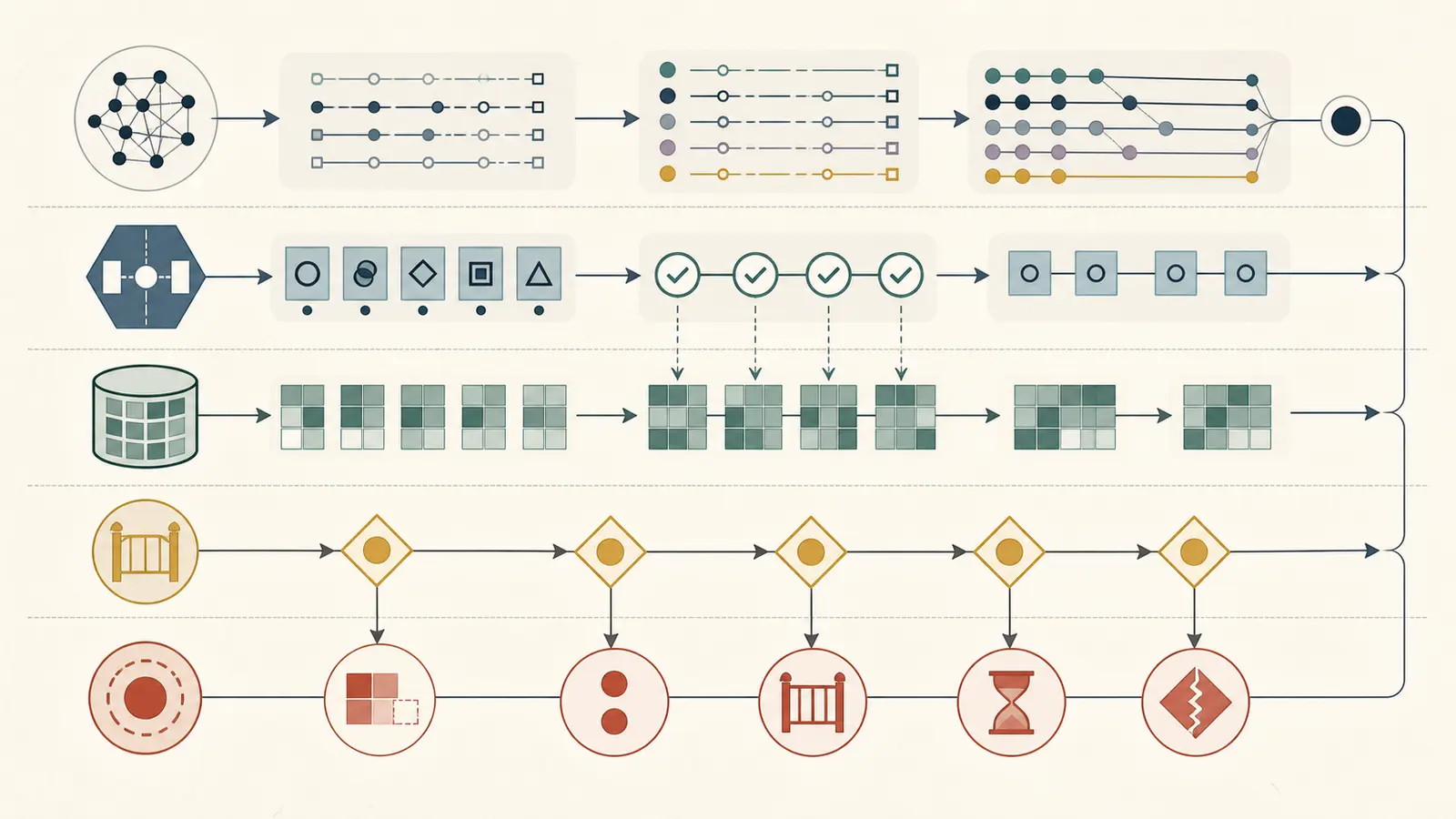
Judge the integration by the business state or reviewable artifact it produces, not by whether the agent's final answer sounds convincing.
Use this release checklist:
- The workflow owner can name the authoritative system and the record that proves the result.
- Every tool call identifies the operation, input identity, source record, and returned state.
- Missing, stale, conflicting, or unavailable data causes a visible stop or escalation.
- A successful tool call cannot be reported as a completed workflow unless the verifier sees the required state or artifact.
- The first pilot can run without live writes, or every write is explicitly approved.
- Representative cases include normal inputs, missing records, conflicting records, out-of-scope requests, and backend failure.
- The team can compare the integrated path with a simpler baseline.
- The owner knows what would make the team reduce scope, change the adapter, or stop.
This is deliberately narrower than a full production evaluation or monitoring plan. For those jobs, use the existing guides on evaluating an AI agent and monitoring an AI agent in production. The integration guide's contribution is to make the system boundary testable before those later gates.
What do three first integrations look like?
The same boundary rule produces different first tools depending on the business object, the cost of a mistake, and the system's available interface. These examples are patterns to adapt, not claims about a particular vendor or company.
Support case drafting
Start with a help desk event for one queue. The adapter reads the case, current status, linked order state, relevant policy version, and recent escalation. It returns a context packet with source IDs, read times, conflicts, and a flag stating whether a draft is allowed.
The agent drafts a reply and lists the evidence used. It cannot close the case, alter the order, or send the message. A support lead reviews the draft. If the draft is accepted, a narrow write tool attaches it to the case and moves the case to a review or approved-sending state. The verifier reads the case back and returns the actual status.
The first useful failure may be a disagreement between the help desk and order system. The agent should show that conflict instead of choosing whichever value appeared last in the context. The next design question is not “which prompt fixes this?” It is which system owns the disputed field and whether the workflow should stop until the conflict is resolved.
Invoice exception review
Start with read-only retrieval for invoices that a finance owner has already flagged. The adapter returns invoice identity, current approval state, supplier reference, relevant purchase order status, exception reason, and version. The agent summarizes the mismatch and suggests the next review step. It does not approve payment.
If the team later adds a write, make it one approval-gated transition such as “mark for finance review.” Bind the approval to the invoice version and the exact transition. Re-read the invoice immediately before the write. If the amount, supplier, or approval state changed, reject the stale proposal and request fresh context.
This workflow may benefit from asynchronous processing if the purchase order system is slow or the review queue is shared. The agent can report that the case was submitted for review with an operation ID. It should not report that the exception was accepted until the finance system returns the new state.
Lead triage and follow-up drafting
Start with a new lead event and one CRM record. The adapter checks that the lead belongs to the permitted workspace, retrieves the fields needed for routing, and returns a structured classification context. The agent proposes a route and drafts a follow-up. It does not change ownership or send the message.
The principal risk is not only a bad classification. It is cross-tenant or cross-team exposure when enrichment tools return more company information than the assigned team may see. Keep the enrichment operation separate, restrict it to approved fields, and record which source supplied each fact. A reviewer should be able to accept the draft without granting the agent broad CRM write access.
These examples share a small first release:
| Element | Support draft | Invoice review | Lead triage |
|---|---|---|---|
| Trigger | New or assigned case | Flagged invoice | New inbound lead |
| Primary system | Help desk | Finance or procurement system | CRM |
| First agent output | Evidence-backed reply draft | Exception summary and recommendation | Route proposal and follow-up draft |
| First write | Save draft or move to review | Mark for review after approval | Save draft or classification proposal |
| Main stop condition | Conflicting customer or order state | Version or approval conflict | Permission or enrichment boundary |
| Completion proof | Draft attached and case state verified | Review state verified | Proposal attached to the correct lead |
The common shape matters more than the industry label. Pick one object, one owner, one authoritative state, and one artifact or transition that can be checked. If a workflow needs two systems immediately, state why each is necessary and which one owns the final result. If nobody can answer that, reduce the pilot until the ownership becomes clear.
What should the handoff package contain?
Hand off an integration as an owned operating path, not as a collection of prompts and credentials. The next person should be able to explain what the agent does, what it cannot do, where the truth lives, how to inspect a failed run, and how to turn the workflow off without losing the business record.
Include these artifacts:
| Artifact | What it should answer |
|---|---|
| Workflow contract | What starts the run and what proves completion? |
| Context schema | Which records and fields are read, with freshness and provenance? |
| Tool catalog | Which operations exist, what they change, and which identity calls them? |
| Access matrix | Which people, agents, and services can read, propose, approve, or write? |
| Failure map | What happens for missing, stale, conflicting, denied, and unavailable data? |
| Test cases | Which normal and adverse cases have been replayed? |
| Runbook | Who investigates a failed job and which system do they inspect first? |
| Rollback or pause plan | How is new agent work stopped while existing records remain safe? |
Name an owner for each boundary. The system owner maintains the source state and its API or export. The workflow owner decides whether the result is useful. The security owner reviews identity, data scope, and retention. The integration owner maintains the adapter, operation records, and verifier. One person may hold several roles on a small team, but the responsibilities still need names.
The pause plan should be simple. Disable the trigger or queue consumer, leave already approved operations visible, prevent new writes, and give the operator a way to finish or cancel in-flight jobs according to the business rule. Do not delete operation records as a substitute for rollback. The system of record should remain the place where the business state can be inspected.
Finally, record the conditions that trigger a review: a provider or protocol version changes, a source system changes its schema, a policy changes, a new write operation is proposed, a data exposure is discovered, or the verifier cannot distinguish accepted from completed. This turns the integration into a maintainable capability instead of a one-time demo.
Measure the first release at three levels. At the tool level, inspect valid calls, rejected calls, latency, unavailable sources, and duplicate operations. At the workflow level, inspect whether owners receive the required evidence, how often cases stop for a real reason, and whether the final state matches the contract. At the business level, ask whether the workflow removes a meaningful manual step without moving hidden work into review, correction, or reconciliation.
Keep those levels separate. A fast tool can still support a poor workflow. A high rate of human approval can mean the boundary is healthy, or it can mean the drafts are not useful. A successful queue delivery can still end in a failed business operation. Record the outcome category and the correction path so the team can decide whether to change the context, adapter, policy, or model. Do not reduce the release to one score that hides the difference.
The most useful review question is concrete: “Which record or artifact changed, who verified it, and what would have stopped the run?” If the answer is visible in the logs and the source system, the integration has a workable foundation. If the answer is only a confident sentence from the agent, keep the system in shadow mode.
Limits and what I still do not know
The primary sources establish capabilities and recommended patterns. They do not establish that a particular CRM, ERP, help desk, or legacy application will expose a clean API, return fresh data, or tolerate agent-driven traffic.
I also have not published a measured benchmark for enterprise integration latency, tool-selection accuracy, or business-outcome improvement. The sourceable atom here is a bounded design rule and procedure, not a performance claim.
The exception matters. For regulated or high-consequence workflows, this article is a starting design conversation, not approval to connect production systems. The workflow owner, security reviewer, and system owner still need to decide what data, identity, actions, and evidence are acceptable.
If you have one workflow in mind but cannot turn it into a clear trigger, system of record, and verifiable outcome, that is the next problem to solve. Marius Manolachi's AI consulting and tutoring work is designed to help people become capable of building AI products on their own work. The article is complete without that next step.
Continue with a related field note
Questions people ask next
Can I integrate an AI agent without replacing my CRM or ERP?
Usually. Keep the existing system as the system of record and expose the few business operations the workflow needs through an adapter, API, event path, file exchange, or carefully bounded legacy interface. Replace a core system only when it cannot provide the data, operation, identity, or auditability the workflow requires.
Should an AI agent connect directly to my database?
Usually not for writes. Prefer task-shaped service operations that enforce business rules. A read-only database view can be appropriate for an approved reporting or retrieval use case, but the agent should not become a second owner of business state.
Do I need MCP to connect an AI agent to business systems?
No. MCP is one reusable protocol for exposing tools. Direct function tools, APIs, events, queues, OpenAPI-described endpoints, and other adapters can be the better fit. Choose the boundary first, then choose MCP when shared tool interoperability is worth the extra surface.