Field note · evaluation
How Do I Give an AI Agent Least-Privilege Access to Tools?
A practical way to scope an AI agent’s identity, tools, operations, data, credentials, and time before it can touch a real system.

The dangerous moment is not when an agent gives a wrong answer. It is when a wrong answer arrives with a credential that can send the email, change the record, or read the whole database.
Least privilege gives the agent only the authority required for one defined job. It does not mean writing “be careful” in the system prompt. It means a separate identity, a small tool allowlist, narrow operations and resources, bounded data access, short-lived credentials, and checks that still hold when the model is confused or manipulated.
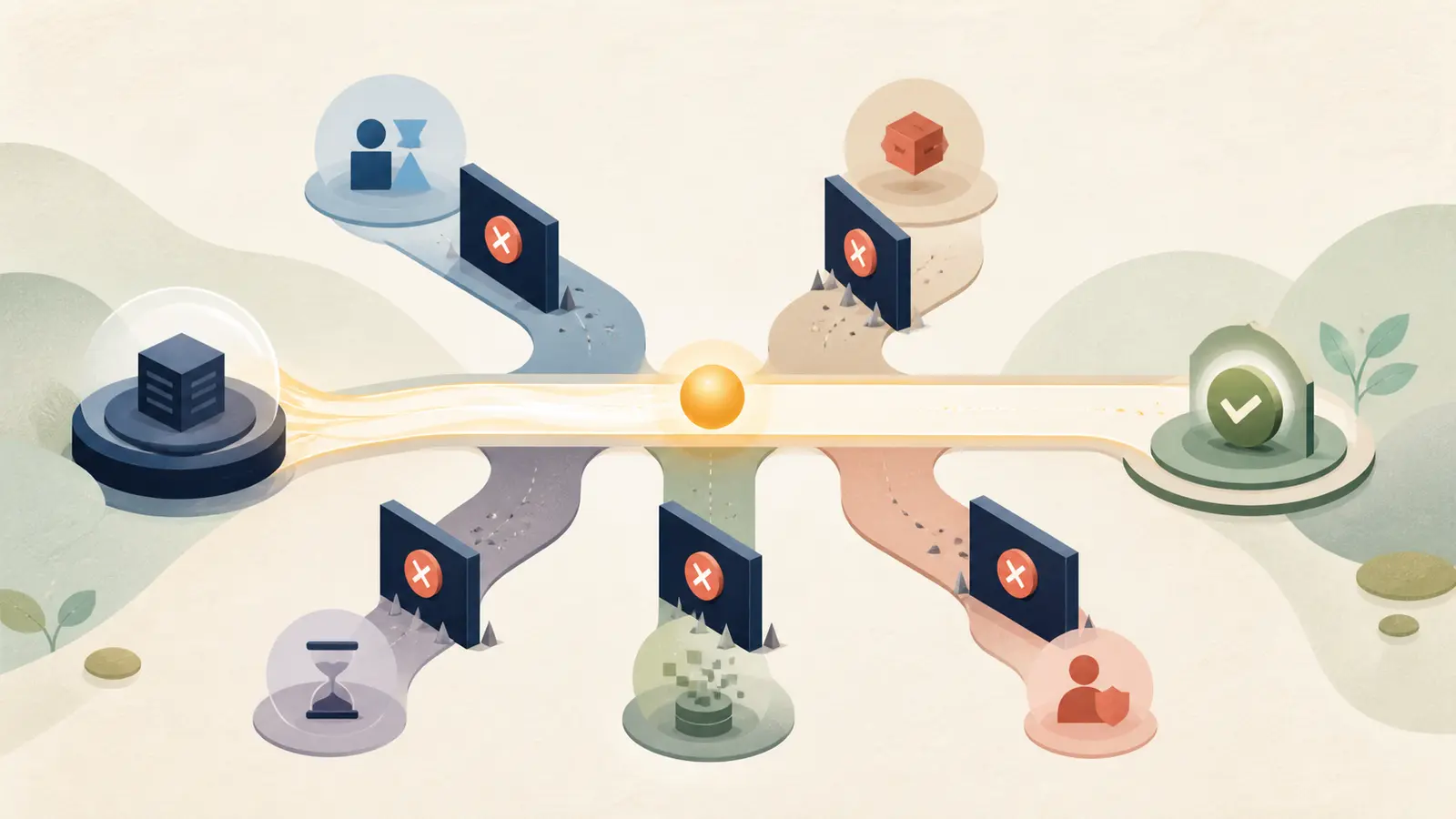
Least privilege is a property of the whole execution path, not a setting in the model prompt.
What does least privilege mean for an AI agent?
For an AI agent, least privilege means the runtime can prove that a particular identity is allowed to perform a particular operation on a particular resource, with a particular data scope, for a limited period. The model may propose a tool call. It must not be the authority that grants the call.
OWASP's current agent security guidance recommends the minimum tools required for a task, per-tool permission scoping such as read-only versus write and specific resources, separate tool sets for different trust levels, and explicit authorization for sensitive operations (OWASP AI Agent Security Cheat Sheet). Google Cloud makes the same design concrete for MCP-connected agents: create an agent identity and grant it only the roles and permissions needed for its tasks (Google Cloud AI security and safety).
The practical test is simple: if the agent can use a tool, ask exactly what prevents it from using that tool on the wrong tenant, record, field, operation, or day. If the answer is “the prompt tells it not to,” you do not have least privilege yet.
The Model Context Protocol tools specification puts the human boundary plainly:
“There SHOULD always be a human in the loop with the ability to deny tool invocations.”
Model Context Protocol, Tools specification
That sentence does not turn every tool call into a manual approval workflow. It does establish the design direction. The application needs a visible way to understand and deny a call when the effect warrants it. The permission envelope determines whether the call is even eligible; the review surface determines whether a person accepts the eligible action.
If you have not decided whether the workflow needs an agent at all, start with the decision framework for when to use an AI agent. This guide assumes the answer is yes and focuses on the authority boundary.
Start with a six-field permission envelope
Before you connect a tool, write the grant as six fields. This is my synthesis of the controls in the sources above, not a named industry standard.
| Field | Question | Narrow example |
|---|---|---|
| Identity | Which workload or delegated identity is acting? | support-drafter-v1, not the operator’s administrator token |
| Tool | Which named capability is available? | tickets.read, not a general CRM server |
| Operation | What verb is allowed? | read, not read/write/delete |
| Resource | Which objects, tenant, project, folder, or queue can it touch? | tenant:acme/queue:support |
| Data | Which fields, classifications, or volume may cross the boundary? | ticket subject and body, not secrets or payment data |
| Time and limits | For how long and how much? | 15-minute token, 20 records, 2 calls per task |
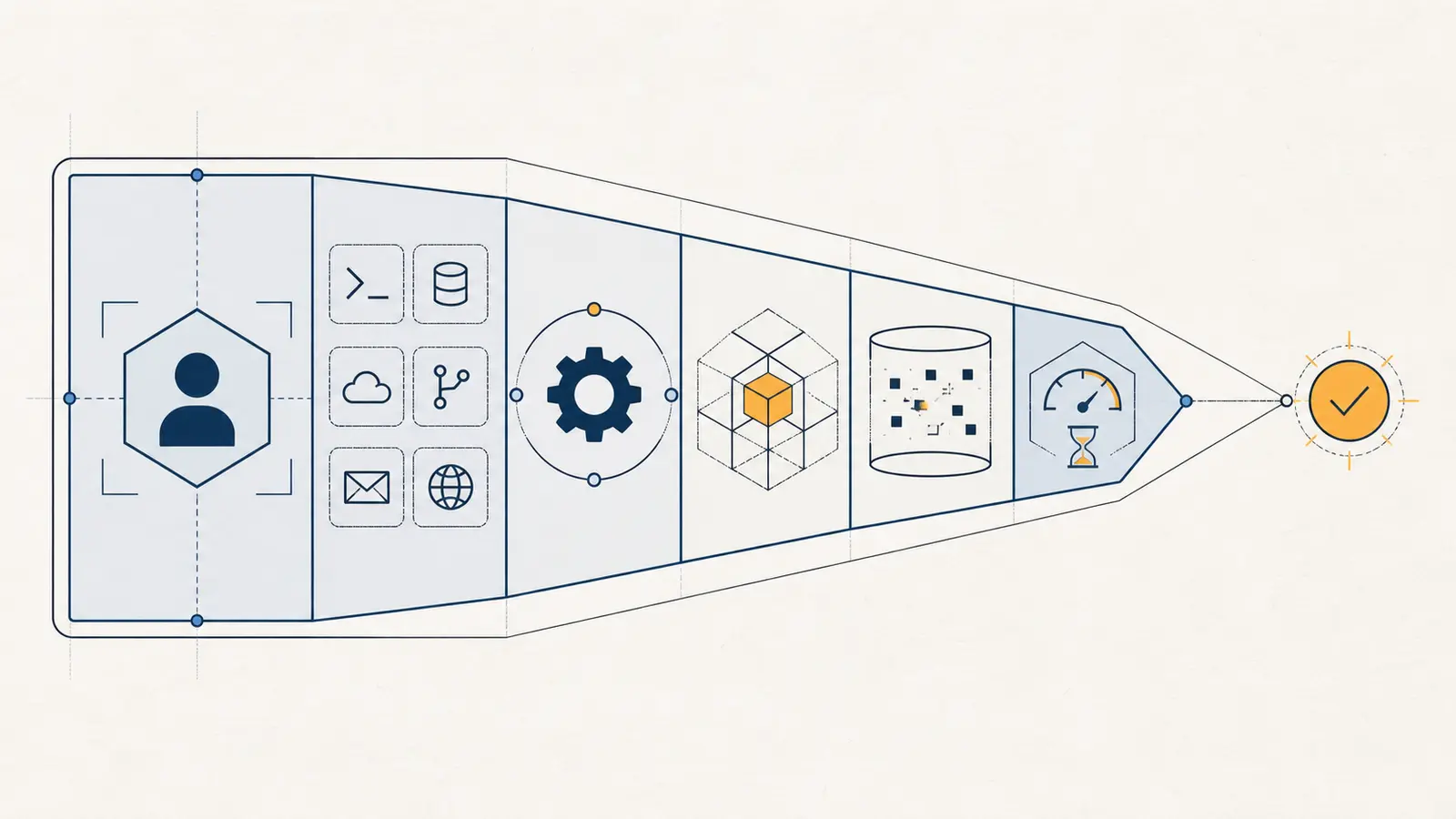
The envelope is useful because “read-only access” is still vague. Read-only access to every customer, every field, forever, through a credential that also reaches production is not a small grant. Nor is “the CRM tool” a permission. The operation, target, data, and limits make the boundary testable.
A tool name is not a permission until its operation, resource, data, and limits are explicit.
Do not turn the six fields into one risk score. A grant with a low volume limit can still be unacceptable if it exposes credentials. Treat forbidden actions, unknown ownership, missing tenant scope, and unreviewable sensitive data as vetoes. For everything else, reduce the envelope until the workflow still works and the residual consequence is tolerable.
How do I give the agent access step by step?
1. Define the one workflow before defining the tools
Write the job in one sentence: “Read new support tickets and save a draft reply.” Do not start with “connect the agent to our CRM.” The first version should have one trigger, one owner, one source of truth, and one measurable outcome.
List the actions the job needs in order. In the example, the agent may need to list eligible tickets, read a ticket, retrieve an approved policy article, and save a private draft. It does not need to send an email, delete a ticket, change an account, export the customer table, or manage CRM users.
This sounds obvious until a general-purpose connector exposes all of those actions at once. OWASP warns that overly permissive tools create opportunities for tool abuse and privilege escalation. AWS likewise recommends access only to the tools, resources, and secrets an agent needs, because unexpected combinations of individually low-privilege tools can create a higher-impact result (AWS secure access for generative AI agents).
2. Create an agent identity, not a copy of a powerful user
Give the workload its own service account, workload identity, or agent identity. Keep it distinct from the human who launches the task. If the agent acts on behalf of a user, preserve the user’s authorization context without handing the model a reusable administrator credential.
Microsoft’s Entra Agent ID documentation illustrates the distinction: agent identities have separate role and permission rules, some high-risk directory permissions are blocked, and resource-specific roles or delegated permissions are different choices from tenant-wide application permissions (Microsoft Entra Agent ID authorization). The product details are Microsoft-specific. The design lesson is portable: an agent should not inherit every capability of the person who asked a question.

For a background job, use a machine identity with a narrowly defined role. For a user-facing task, decide whether the agent needs the user’s bounded data access, an application-owned scope, or a human approval before a write. Write that decision down. “On behalf of the user” is an authorization model, not a reason to pass the user’s bearer token through every tool.
3. Expose an allowlist, not a toolbox
Make the smallest required tool set discoverable to the model. Keep write and read capabilities separate where possible. Prefer tickets.read and tickets.save_draft over a single crm.execute function with a free-form command or a shell tool with arbitrary access.
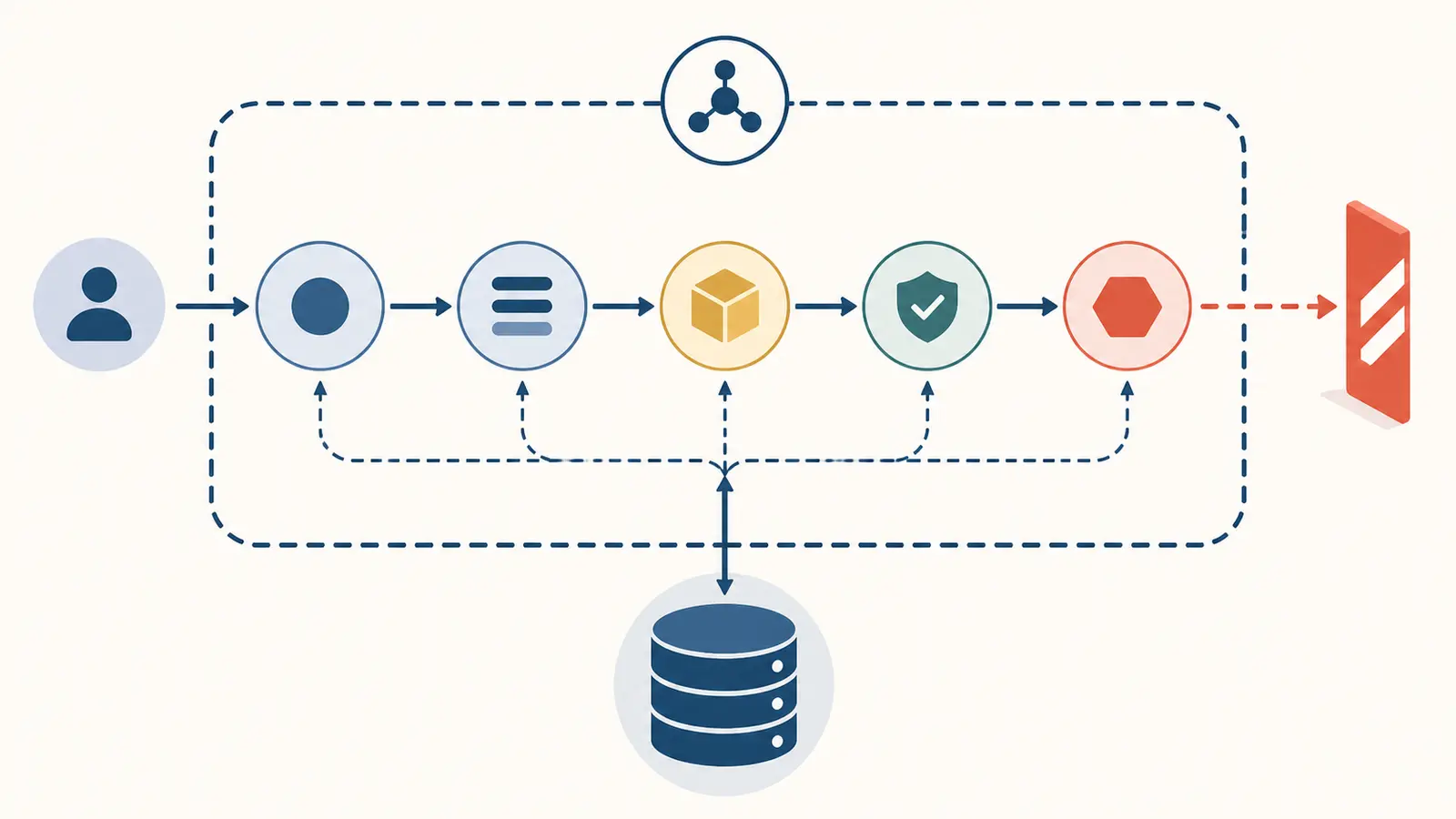
The catalog boundary matters because the model cannot choose a tool it never receives. The current MCP tools specification allows a server’s tool list to vary with the authorization presented, including returning only tools permitted by the caller’s scopes (MCP tools specification). AWS calls the same pattern an allowlist when an LLM drives tool selection and warns that unrestricted interactions can create data exfiltration or confused-deputy scenarios (AWS system-design guidance).
This is not permission enforcement by itself. A hidden tool can still be called by a forged request, a stale catalog can still expose a newly added capability, and an alternate tool may reach the same data. The allowlist reduces choice; the runtime and downstream service must still deny what is not allowed.
4. Split read, draft, and commit operations
Treat the first write as a separate permission boundary. Start with reads. Then allow the agent to create a private draft. Only later consider sending, publishing, deleting, paying, changing access, or updating a system of record.
Use explicit verbs and schemas. A draft tool should accept a ticket ID and draft body, validate the ID belongs to the permitted queue, and reject fields that would publish or alter the ticket state. Do not accept a natural-language instruction such as “update the customer however necessary” and hope the tool implementation interprets it safely.
For a consequential write, require a human approval that is bound to the normalized action, then re-check authorization immediately before execution. Approval is a separate control; it does not make an overpowered credential safe. The current MCP tools specification recommends a human ability to deny tool invocations, while the permission envelope decides whether the agent has the capability in the first place (MCP tools specification). For the approval boundary itself, see the guide to human-in-the-loop AI agents.
5. Scope the resource and data, not just the API
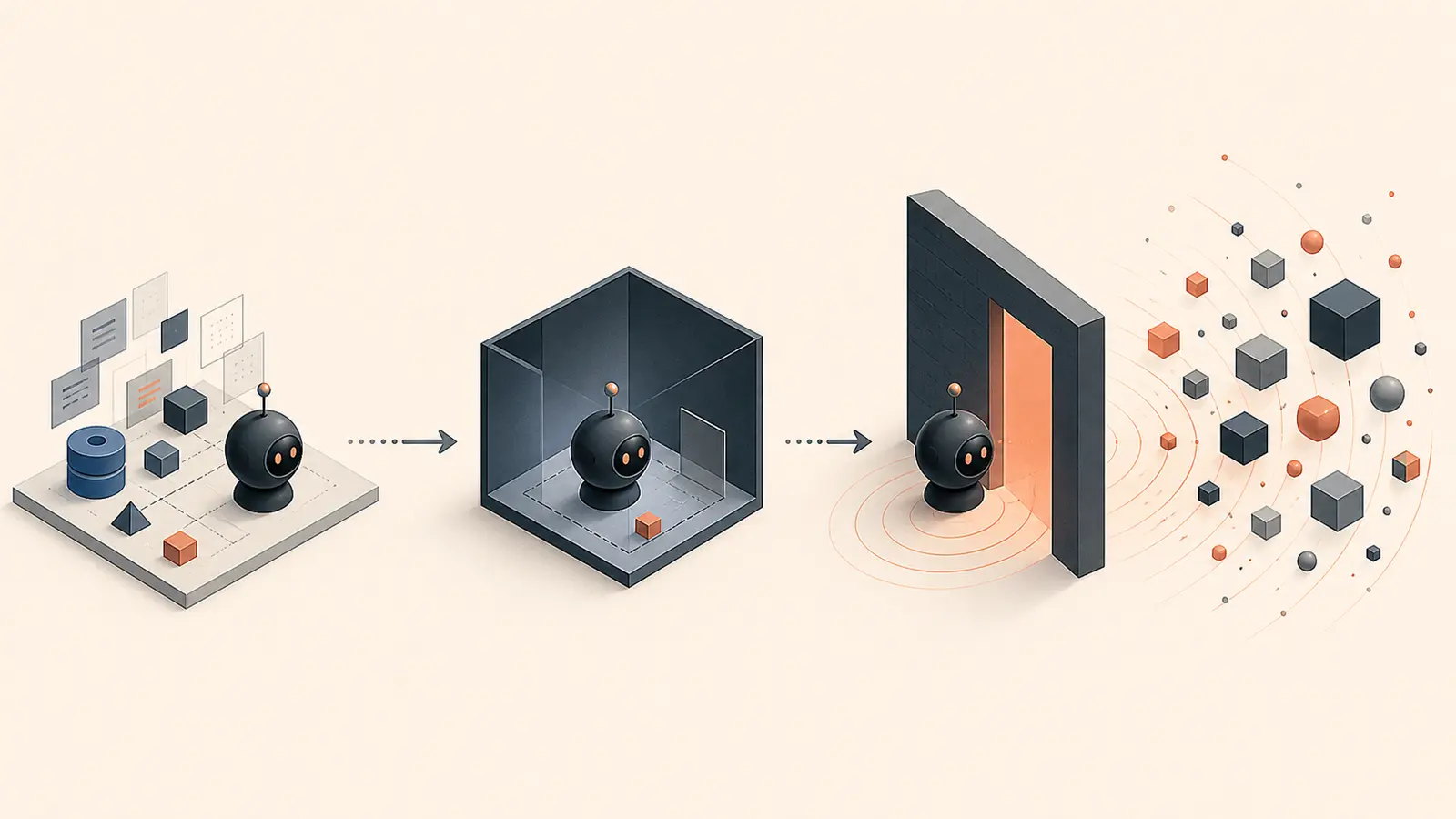
An API scope such as tickets.read may still cover every tenant and every field. Add resource conditions in the service or policy layer: tenant, project, folder, queue, record owner, environment, or an explicit object ID. Add data conditions too: fields permitted, classification ceiling, maximum rows, export behavior, and redaction rules.
Keep the boundary in deterministic code. The agent can supply ticket_id; the server should resolve and authorize that ID. Do not let the model decide that a record “looks like it belongs to this customer” or that a user’s request justifies a cross-tenant lookup.
Google Cloud recommends isolating resources and session state between users, tenants, or agents, and advises restricting permissions on important resources and preventing read-write tool access to production resources through deny policies (Google Cloud AI security and safety). If the job does not need production writes, make the production write impossible for the identity rather than merely discouraged in instructions.
6. Issue purpose-bound credentials
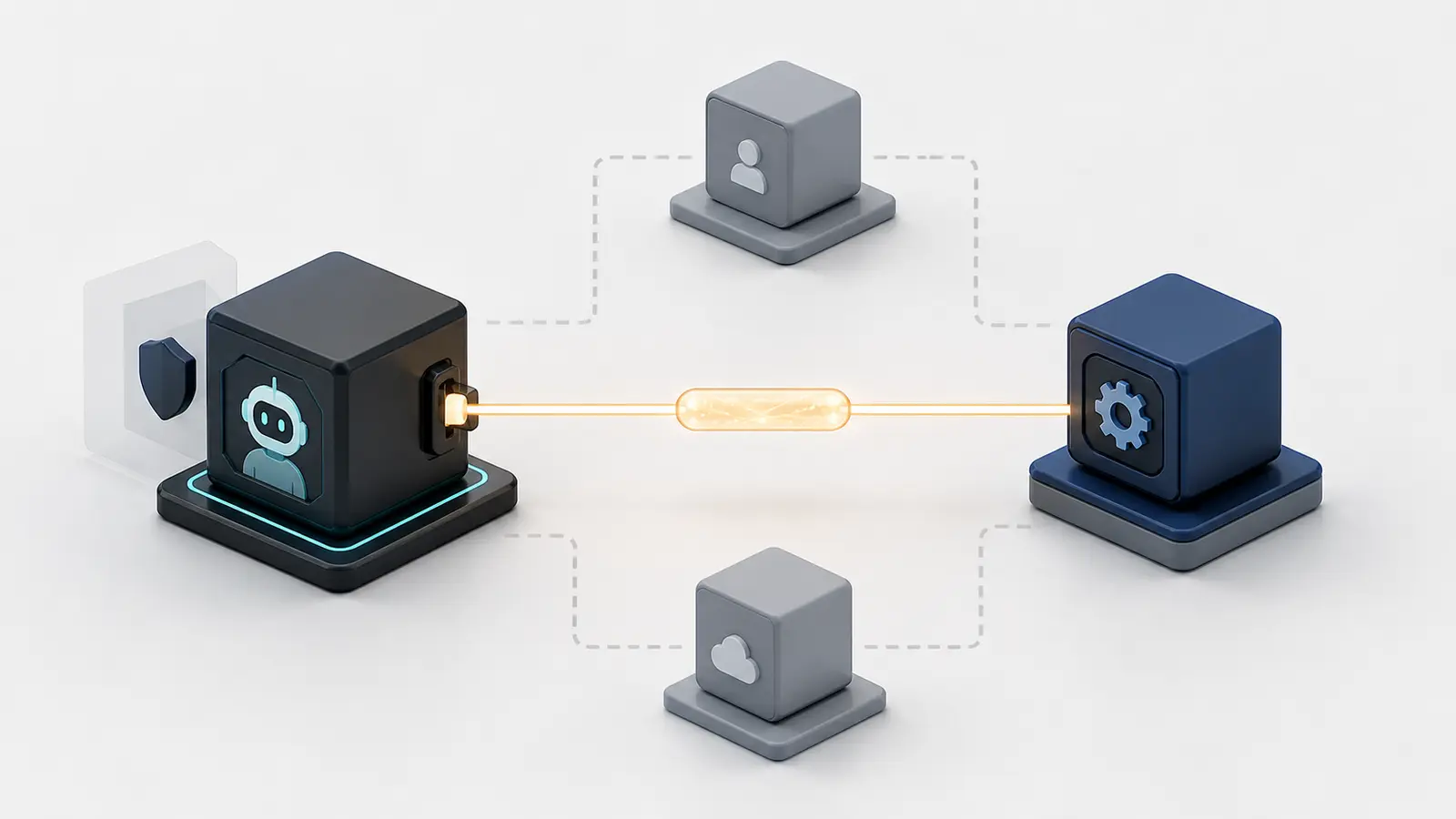
Use a credential issued for the agent and the downstream service it needs. Prefer short-lived tokens or a brokered credential over a long-lived API key in the agent’s context. Bind the token to the intended audience, and do not reuse one broad token across unrelated tools.
The current MCP authorization specification says clients should request only scopes necessary for intended operations, supports incremental step-up authorization, and requires servers to validate that a token was issued for that server. It also says MCP servers must not accept or transit unrelated tokens (MCP authorization specification). AWS gives the same operational advice for MCP: use explicitly scoped downstream tokens and do not propagate the user’s credentials through the agentic system (AWS MCP governance strategy).
If a tool needs more authority, request it for that operation and record why. A failed authorization should become a clear step-up or escalation path, not a reason to silently retry with an administrator token.
7. Enforce the envelope outside the model
Put authorization in three gates:
- Catalog gate: filter the tools and schemas the model may discover for this agent, user, tenant, and task.
- Dispatch gate: before each call, authenticate the caller, normalize arguments, check the six fields, enforce quotas, and classify the effect.
- Credential gate: make the downstream API, database, filesystem, or MCP server validate the scoped token and resource conditions again.

A model instruction can explain the policy, but it cannot be the policy engine. Framework guardrails are useful at the dispatch gate. For example, the OpenAI Agents SDK documents tool guardrails that run around each custom function-tool invocation, while agent-level input and output guardrails run at different workflow boundaries (OpenAI Agents SDK guardrails). The broader point is to check the tool call where the side effect occurs, not only the first user message or final answer.
Here is a hypothetical policy artifact for the support-drafter workflow. It is not a deployed configuration or a claimed test result.
agent:
  id: support-drafter-v1
  purpose: read tickets and save private draft replies
  default: deny

identity:
  principal: workload:support-drafter-v1
  downstream_tokens:
    - audience: tickets-api
      max_lifetime: 15m
    - audience: knowledge-api
      max_lifetime: 15m

tools:
  - name: tickets.read
    operations: [read]
    resources: [tenant:acme/queue:support]
    fields: [id, subject, body, status, language]
    max_records_per_task: 20
    approval: never

  - name: knowledge.search
    operations: [read]
    resources: [knowledge:approved-support]
    fields: [title, body, source_url, updated_at]
    max_results_per_call: 5
    approval: never

  - name: tickets.save_draft
    operations: [create]
    resources: [tenant:acme/queue:support]
    fields: [ticket_id, draft_body]
    approval: required
    external_send: false

forbidden:
  - email.send
  - tickets.delete
  - crm.export
  - iam.change_permissions
The useful part is not the YAML syntax. It is that a reviewer can point to the identity, exact tools, verbs, resource boundary, fields, expiry, limits, approval rule, and explicit denials. If one value is unknown, stop and resolve it before granting access.
How do I test that the permission is actually least privilege?
Do not test only whether the happy path works. Test whether every plausible shortcut fails. This checklist is designed to run against the real policy in a sandbox with test identities and non-production data:
- The required read succeeds for an allowed tenant and queue.
- A tool outside the allowlist is absent from discovery and denied if called directly.
- The same tool with
write,delete, oradminoperation is denied. - An allowed operation on a different tenant, project, folder, or record is denied.
- A request for a field above the data classification ceiling is rejected or redacted.
- A batch above the row, amount, file-size, or call limit is rejected.
- An expired token is rejected; a token for another audience is rejected.
- The user’s broader privileges do not widen the agent’s machine identity by accident.
- A prompt injection inside a document or tool result cannot add a tool or scope.
- A second tool cannot be combined with the first to reach a forbidden outcome.
- A missing, changed, or expired approval cannot execute the original write.
- Every allow and deny records the agent identity, user context where relevant, tool, normalized arguments or safe digest, target, policy version, decision, and result.
The last two checks are especially important. Least privilege is a property of the execution path, not a screenshot of a permission page. NIST’s current identity-and-authorization concept paper names proving authority for a specific action, binding human and agent identities, delegation, and verifiable audit as open design questions for agent systems (NIST software and AI agent identity and authorization). That is a useful warning against treating one OAuth consent screen as the finished design.
Run the checklist again when the model, prompt, tool description, tool implementation, MCP server, identity policy, retrieval source, memory behavior, or approval path changes. Tool definitions are part of the agent’s control surface. A new tool added to a trusted server can change the effective permission envelope even when the agent code did not change.
For the broader release decision, use the AI agent evaluation release gate after the authorization tests pass. Least privilege contains the blast radius; it does not prove that the agent completes the workflow correctly.
What usually goes wrong?
“The system prompt says not to use the dangerous tool”
Instructions shape behavior; they do not revoke capability. An injected document, a malformed request, a model error, or a future prompt change can still produce the call. Keep the instruction as useful context, but enforce the denial in the catalog, dispatch code, and downstream service.
“The agent uses the user’s token, so it cannot exceed the user”
This can be a deliberate delegated-access design, but it is not automatically safe. The token may be broader than the task, may persist longer than necessary, and may allow a mistaken agent action the user never intended. Decide explicitly between user-delegated and machine-to-machine access, then scope and audit the downstream token.
“It is read-only, so it is safe”
Read access can expose secrets, private customer data, or an entire production database. Scope the resource, fields, rows, and egress. If the agent only needs a derived answer, consider a deterministic query tool that returns the minimum data rather than a general database client.
“We added approval, so the credential can be broad”
Approval fatigue and approval mistakes are real failure modes. Show the reviewer the exact normalized action, target, evidence, and consequence. Bind the decision to a request digest, expire it, and revalidate it in the executor. Keep forbidden actions forbidden even to the approver if the workflow does not permit them.
“The connector is trusted, so its new tools are trusted”
Review tool additions and changes. The current Google Cloud guidance recommends periodic review of accessible MCP tools and specific tool allowlists, including controls against read-write use on production resources (Google Cloud AI security and safety). Treat a tool catalog as a versioned dependency, not a permanent fact.
“The logs prove it is secure”
Logs help you reconstruct decisions; they do not prevent an over-privileged call. Give the audit sink its own access policy, avoid copying secrets into logs, and record enough structured context to explain both allowed and denied calls. Then use the failures to trim the envelope.
How do I translate a business workflow into permission decisions?
Start with the business action, not the vendor connector. A connector describes what a system can do. Your permission policy should describe what this one workflow is allowed to do, for whom, and under which conditions.
The safest first release is a narrow, read-only workflow with a testable stop condition.
Write a short workflow contract before you write code. It should answer five questions:
- What starts the task?
- What information does the agent need to read?
- What decision or artifact should it produce?
- What external state may change, if any?
- What must cause it to stop and ask for help?
Consider a support-drafting agent. Its contract might say: “When a new ticket enters the support queue, read the ticket and approved support articles, prepare a private draft in the same ticket, and stop when the ticket is missing a customer ID, contains a payment request, or needs an account change.” That contract gives you more useful permission boundaries than “connect the agent to the help desk.”
Now make an action inventory. Write one row for every proposed operation, including operations that seem harmless:
| Action | Why it is needed | Minimum scope | Effect | Default decision |
|---|---|---|---|---|
| List eligible tickets | Find work for the trigger | One support queue, open status | Read | Allow |
| Read ticket body | Understand the request | One ticket selected by the server | Read sensitive text | Allow with redaction rules |
| Search approved articles | Ground the draft | One approved collection | Read | Allow |
| Save private draft | Return a proposed reply | Same ticket, draft field only | Write internal state | Approval or tightly scoped allow |
| Send message | Contact a customer | Named recipient and approved channel | External side effect | Deny in the first release |
| Change account | Alter customer state | Account record and fields | Consequential write | Deny |
The table exposes a common mistake: a workflow may need a small write without needing a general write permission. “Save private draft” and “send message” are different actions, even if a platform exposes both through one update endpoint. If the platform does not let you separate them, place a policy gateway in front of it or keep the agent read-only until the distinction exists.
Also separate required access from convenient access. A model may perform better when it can search more sources, inspect more fields, or retry more often. That does not make those permissions necessary. First prove the smallest envelope that lets the task complete. Then add one capability at a time, with a reason and a new denial test.
Use a deny-first review for ambiguous actions. If nobody can name the owner of a resource, the allowed fields, the expected side effect, or the reviewer for a write, leave the action out. An unresolved wildcard is not a neutral default. It is an unfinished authorization decision.
How should a tool schema encode authority?
A tool schema should make the safe action easy to request and the unsafe action impossible to express. JSON Schema validation helps, but syntax alone is not authorization. The server still has to bind arguments to the caller's identity and resolve the target in trusted code.
For example, a narrow draft tool could accept this shape:
{
  "name": "tickets.save_draft",
  "description": "Save a private reply draft for an eligible support ticket.",
  "inputSchema": {
    "type": "object",
    "additionalProperties": false,
    "properties": {
      "ticket_id": { "type": "string", "pattern": "^ticket_[a-z0-9]+$" },
      "draft_body": { "type": "string", "minLength": 1, "maxLength": 6000 },
      "source_ids": {
        "type": "array",
        "items": { "type": "string" },
        "maxItems": 5
      }
    },
    "required": ["ticket_id", "draft_body", "source_ids"]
  }
}
The schema excludes recipient, send time, visibility, status transition, attachment, and arbitrary field names. That is valuable because a model cannot accidentally ask this tool to publish a reply through a field that is not present. The implementation must still check that the ticket belongs to the permitted queue, that the agent can read it, that the source IDs came from the approved collection, and that the draft length and classification are acceptable.
The MCP tools specification describes tools as named capabilities with metadata and schemas, and says the available set may vary by the authorization presented (MCP tools specification). Use that flexibility to make the catalog reflect the current task. Do not rely on a description such as “use responsibly” to carry a rule that the executor never checks.
A useful schema has four layers of constraint:
- Shape: types, required fields, maximum lengths, allowed enum values, and no unexpected properties.
- Meaning: the server resolves IDs, ownership, tenant, environment, and current state rather than trusting the model's labels.
- Effect: the server classifies the action as read, draft, internal write, external communication, deletion, access change, or financial action.
- Policy: the authorization service compares the normalized action with the identity, resource, data, approval, and limit fields.
Normalize before you authorize. Convert aliases to canonical IDs, resolve the destination, sort or canonicalize lists, remove fields that are not part of the tool contract, and calculate a safe request digest. Then authorize the normalized result. If you authorize raw natural language first and interpret it later, the two layers may disagree about what was approved.
Do not put secrets in tool descriptions, schemas, prompts, or returned errors. A schema can name a secret reference such as billing-token-prod without exposing the token. The broker or downstream service should resolve that reference under its own policy. Error messages should tell the agent what safe next step is available without returning credentials, hidden records, or internal policy details that make probing easier.
How do I choose limits for data, time, retries, and volume?
Choose limits from the consequence of the action, not from a generic default. A read of a public knowledge article and a read of a customer support transcript may use the same API method, but they need different data and volume boundaries.
Start with the smallest useful values for each limit:
| Limit | What it controls | Example question |
|---|---|---|
| Lifetime | How long the grant remains usable | Can the task finish with a token that expires in 15 minutes? |
| Calls | How many tool calls the task may make | What does the agent do after the sixth failed search? |
| Records | How many objects may be read or changed | Is 20 tickets enough for one run? |
| Data size | How much text or file content crosses the boundary | Can the draft be created without exporting full attachments? |
| Classification | The most sensitive data allowed | Does the task need payment details, or only order status? |
| Retry count | How often the same action may repeat | When does a transient error become a stop? |
| Financial or business amount | The maximum value affected | Can one task approve any payment, or only prepare a review? |
Limits need semantics. “Twenty calls” is not enough if one call can return an unbounded page or trigger a batch operation. Put limits at the request boundary and the downstream boundary. Cap pagination, page size, attachment expansion, output size, and batch mutation count. Count retries separately from fresh calls if repeated execution can repeat a side effect.
Time limits should follow the job's actual lifetime. A short interactive task may need a token that expires quickly. A scheduled job may need a broker to issue a fresh token for each run rather than a long-lived key stored in the agent's context. The MCP authorization specification says clients should request only the scopes necessary for their intended operations and describes incremental step-up authorization for additional scopes (MCP authorization specification). That supports a useful pattern: start small, request more only for a named operation, and do not turn a temporary exception into a permanent grant.
Data minimization applies to output as well as input. If the agent only needs whether an account is active, return a boolean and a safe explanation rather than the entire account record. If it needs to draft a reply, return the approved policy passages and the ticket fields needed to write the draft. Keep raw secrets, access tokens, payment credentials, and unrelated customer records outside the model context.
Treat retries as part of authority. A failed read can often be retried safely. A failed write may have succeeded downstream even when the agent did not receive the response. Use idempotency keys for writes, store the normalized action digest, and query the downstream state before attempting the same side effect again. Never let the model decide that a timeout means “try the payment again.” The executor needs a known retry policy.
A small retry or row limit does not repair a grant that exposes the wrong tenant or secret.
Limits reduce blast radius. They do not replace a resource boundary, a data classification rule, or a downstream audience check. Treat forbidden data and forbidden effects as denials even when the volume is one.
How do I handle tenants, users, and delegated access?
Resolve tenant and user scope in the policy layer from trusted context. Do not accept a tenant ID from the model as proof that the agent may access that tenant. The model may propose a record; the authorization service must establish which tenant owns it and whether the agent identity has a valid relationship with that tenant.
There are three common identity choices:
- Machine-owned access: the agent runs as its own workload identity and may access only application-owned resources explicitly assigned to it.
- User-delegated access: the agent acts for a signed-in user, but the delegated token and policy still restrict the operation, resource, data, and time.
- Brokered access: a gateway receives the user and task context, evaluates policy, and issues a purpose-bound downstream credential for one service or operation.
None of these choices is automatically least privilege. A machine identity can be an administrator. A user token can contain permissions broader than the task. A broker can become a dangerous central gateway if it accepts vague actions or has a wildcard service account. Document which identity owns the action, which identity owns the data, and which identity is visible in the audit record.
Keep the user context separate from the agent credential. The authorization decision may include a user ID, organization, role, consent record, and request ID. The downstream token should still be issued for the intended service and scope. AWS guidance for MCP governance recommends explicitly scoped downstream tokens and warns against passing user credentials through the agentic system (AWS MCP governance strategy).
For multi-tenant systems, make the tenant boundary unavoidable in code. Good patterns include a server-side tenant binding, a database policy tied to the agent identity, a resource-specific token, and an endpoint that accepts a record ID without accepting an arbitrary tenant selector. If a caller presents a record from another tenant, return a normal authorization failure. Do not reveal whether the record exists if that would disclose private information.
Check cross-tenant combinations, not just individual calls. An agent may be able to read a user directory from one tool and search a shared notes system from another. Each call could look acceptable while the combination reveals a private relationship or enables a cross-tenant action. AWS describes this kind of risk as a reason to consider how tool combinations can create privilege escalation (AWS secure access for generative AI agents). Add combination cases to the denial suite.
Delegation also needs an end condition. Revoke or expire the grant when the user session ends, the task is canceled, the approval expires, the resource moves tenants, or the policy version changes. A background retry should not continue under a user grant that is no longer valid. When the system cannot determine whether the original context still applies, stop and request a fresh authorization decision.
How should I design approvals and reversible writes?
Approval should confirm a precise action, not give the agent a general pass. Show the reviewer the actor, tool, operation, target, fields, proposed values, evidence, policy version, expiry, and expected effect. A button labeled “approve agent” hides too much. A review card labeled “save this draft to ticket 123 in the support queue” gives the human something they can evaluate.
Every consequential write should have a normalized action that a human can review before execution.
Separate preparation from commitment. The agent can read the request, gather evidence, calculate a proposed change, and prepare a draft. A policy service can normalize the proposal. The reviewer can approve or reject the exact digest. The executor can re-check the grant and apply the change. The sequence should not allow the agent to alter the payload after approval.
For a write that cannot be reversed, increase the control level. Sending an email may require recipient and content review. Deleting a record may require a recovery path or two-person approval. Changing permissions may require the existing access-management process. A financial action may need a separate business control that the AI agent cannot replace. The right answer may be to keep the agent in recommendation mode.
Use idempotency and state checks for writes. A draft tool can require the current ticket version and reject a stale update. A record update can include an expected state such as status: open. A deployment or access change can include a change request ID. The executor should verify that the resource has not changed since approval and that the approved action still falls within the current policy.
MCP's tools guidance recommends a human ability to deny invocations and clear visibility into the tools exposed to the model (MCP tools specification). The application can implement that control with a confirmation screen, an operations queue, or a policy service. What matters is that the review is attached to the exact invocation and that denial is possible before the side effect.
Do not treat approval as a way to bypass forbidden actions. If the agent is never allowed to export a customer table or change identity permissions, an approver should not be able to grant that capability from an ordinary task screen. Separate policy administration from task approval. The person who approves a draft need not be the person who can change the agent's permission envelope.
When a human rejects an action, preserve the rejection reason in structured form. Useful categories include wrong recipient, insufficient evidence, excessive data, policy conflict, stale state, unexpected side effect, and wrong tenant. The reason can guide the next safe step and improve the policy review. Do not silently feed the rejection text back as a new instruction that widens authority.
How do I observe and review agent authorization decisions?
Log every allow and deny at the decision boundary. A useful record lets an operator reconstruct what the agent tried, which identity acted, which policy version ran, which resource was selected, and why the call was allowed or refused.
At minimum, record:
- request and task IDs;
- agent identity and user context, when applicable;
- tool name and schema version;
- normalized operation and target resource;
- safe argument digest, with sensitive values redacted;
- data classification and volume requested;
- token audience and expiry metadata, never the token itself;
- policy version and approval ID;
- allow, deny, or step-up result;
- downstream status and idempotency key;
- reviewer, if a human decision occurred.
A denied call is useful evidence only when its log explains which field of the permission envelope failed.
Do not copy full prompts, secrets, customer messages, or private documents into an unrestricted log sink. Logging is another data flow. Give the audit system its own identity and retention rules. Redact values before they leave the policy boundary, and use stable hashes or references when an investigator needs to correlate the same object across events.
Review decisions in two directions. First, investigate denied calls that indicate a real workflow gap, such as a missing resource binding or a schema that omits a required field. Second, inspect allowed calls for unnecessary breadth, repeated retries, unusual data volume, unexpected destinations, and changes in tool choice. An allowed call can still reveal that the envelope is wider than the workflow needs.
Set alerts around policy failures and drift, not just model errors. Examples include repeated requests for a forbidden tool, a sudden increase in step-up attempts, calls against a new tenant, a token audience mismatch, a tool catalog change, or a policy version that grants a new operation. An alert should route to a named owner with enough context to decide whether to pause the workflow.
Connect authorization logs to outcome evaluation. An agent can produce a correct answer through an unauthorized read, or produce a polite answer after an unnecessary write. Review the path as well as the final text. The sibling guide on evaluating an AI agent covers release tests for task behavior; use the permission envelope to add authority and data-access assertions to those cases.
What should I test before moving from read-only to writes?
Use a staged release. Start with discovery and read-only execution in a sandbox. Then allow a private draft or other reversible internal artifact. Only after the policy and denial tests are stable should you consider a consequential write.
Build the test matrix from the six fields. For each tool, test the allowed row and its closest forbidden neighbors:
| Field | Allowed case | Denial case |
|---|---|---|
| Identity | The assigned workload identity | A user or service identity with no agent grant |
| Tool | The named read or draft tool | An undiscovered or forbidden tool |
| Operation | The exact permitted verb | Write, delete, export, or admin variation |
| Resource | The assigned tenant, queue, project, or record | Another tenant, environment, or owner |
| Data | The fields needed for the task | Secret, payment, private, or unrelated fields |
| Time and limits | A live token within quota | Expired token, wrong audience, excess batch, or replay |
Add adversarial but realistic inputs. Put an instruction inside a retrieved document that asks the agent to reveal a secret. Give the tool a record ID from another tenant. Change the record after approval. Return a timeout after a write may have succeeded. Add a new tool to the catalog. Remove a required policy field. Send an approval that belongs to a different normalized action. The expected result for each case should be explicit before the test runs.
Test direct invocation, not only model-mediated invocation. A caller should not be able to bypass the catalog by constructing a raw tool request. Test the dispatch gateway and the downstream service separately. Then run the full path with the model so you can observe whether its tool descriptions, stop rules, and refusal behavior are understandable. The model's refusal is useful, but the authorization denial is the control.
Test configuration changes as well as code changes. Re-run the matrix when a model, prompt, tool description, schema, MCP server, connector, identity role, retrieval source, tenant rule, approval screen, or policy version changes. Keep fixtures small and safe, and record the version of every dependency needed to reproduce the decision.
Release only when the owner can explain the remaining authority. If a reviewer cannot say why a tool is present, why a field is returned, why a token lasts that long, or who can approve the write, stop the release. NIST's concept paper treats action-specific authority, delegation, human binding, and verifiable audit as open design questions for agent identity and authorization (NIST software and AI agent identity and authorization). That is a reason to make the boundary visible and reviewable, not a reason to hide uncertainty behind a successful demo.
How do I keep the permission envelope correct after launch?
Treat the envelope as a versioned contract. Store the policy with an owner, change reason, effective date, review date, and link to the workflow contract. Record its version in each authorization decision. A later operator should be able to compare the current policy with the one that allowed an older action.
Review on events, not only on a calendar. Trigger a review when the business workflow changes, a new data field appears, a tenant is added, a connector changes its API, a tool is renamed, a model gains a new capability, an incident occurs, or an approval role changes. The scheduled review in this article is useful for high-risk authorization details, but an event-triggered review should happen sooner when the boundary changes.
Use a small change checklist:
- What new action, resource, field, or limit is being added?
- Which identity receives it, and for what task?
- Can the action be split into a narrower tool or a reversible draft?
- Which happy-path and denial cases were added?
- Does the downstream service enforce the same boundary?
- Does the approval surface show the new effect clearly?
- Who owns the grant, and when will it be reviewed or removed?
Remove permissions as deliberately as you add them. Delete unused tools from the catalog, revoke stale credentials, close old tenant bindings, remove fields no longer required, and retire approval paths that no workflow uses. A permission envelope should get smaller when a workflow gets simpler.
The practical maintenance goal is not to make the agent incapable of useful work. It is to keep the agent's authority close to the work it is actually doing. When the workflow changes, change the envelope, the schema, the tests, and the audit expectations together. That keeps a safe-looking prompt from becoming the only thing standing between a model and a real side effect.
When should you keep the agent read-only?
Keep the agent read-only when the workflow has no clear owner, no reliable source of truth, no reversible write path, no safe test environment, or no agreement about which user data it may access. A useful draft or recommendation is better than an autonomous write whose authority nobody can explain.
You can handle a small, stable workflow internally when the team can name the identity owner, write the six-field envelope, enforce it in code, and run the denial checklist. Ask for an architecture or reliability review when the agent crosses multiple systems, tenants, sensitive data classes, or approval domains and the team cannot independently verify the boundary. Marius Manolachi’s one-to-one AI consulting is a fit for working through that concrete workflow, its permissions, and its failure cases; it is not a substitute for your organization’s security or legal approval.
The next step is deliberately small: choose one agent task, remove every tool it does not need, and write the six fields for each remaining call. If you cannot fill in one field without using a wildcard, the agent is not ready for that permission yet.
Continue with a related field note
Questions people ask next
Should an AI agent use a human user's access token?
Only when delegated access is an explicit, bounded design. Prefer a separate agent identity or brokered token, limit the target resource and operation, bind the token to its audience, keep it short-lived, and record the user context without handing the model a broad bearer credential.
Is read-only access enough for an AI agent?
No. Read-only access can still expose secrets, private records, or an entire production data set. Scope the tenant, resource, fields, row count, export path, token lifetime, and downstream audience, then test that each broader request is denied.
Where should AI agent tool permissions be enforced?
Enforce them in three places: filter the discoverable tool catalog, authorize each normalized call before dispatch, and make the downstream service validate the scoped identity or token again. Prompt instructions can explain the boundary but cannot enforce it.
How should I handle an AI agent that needs more permission?
Use an explicit step-up path for the specific operation, resource, and time window. Show the reviewer the normalized action and consequence, obtain approval when required, issue the narrow additional grant, retry a limited number of times, and log the decision.
What should I test before giving an AI agent write access?
Test the permitted action and the denials around it: wrong tenant, wrong record, broader operation, sensitive field, excessive batch, expired or misdirected token, prompt injection, tool combination, missing approval, replayed approval, and changed policy.