Field note · architecture
AI Workflow Interaction Contract Worksheet
A filled worksheet for turning an AI feature's user interaction, approval, recovery, and concurrency needs into a request and status contract.
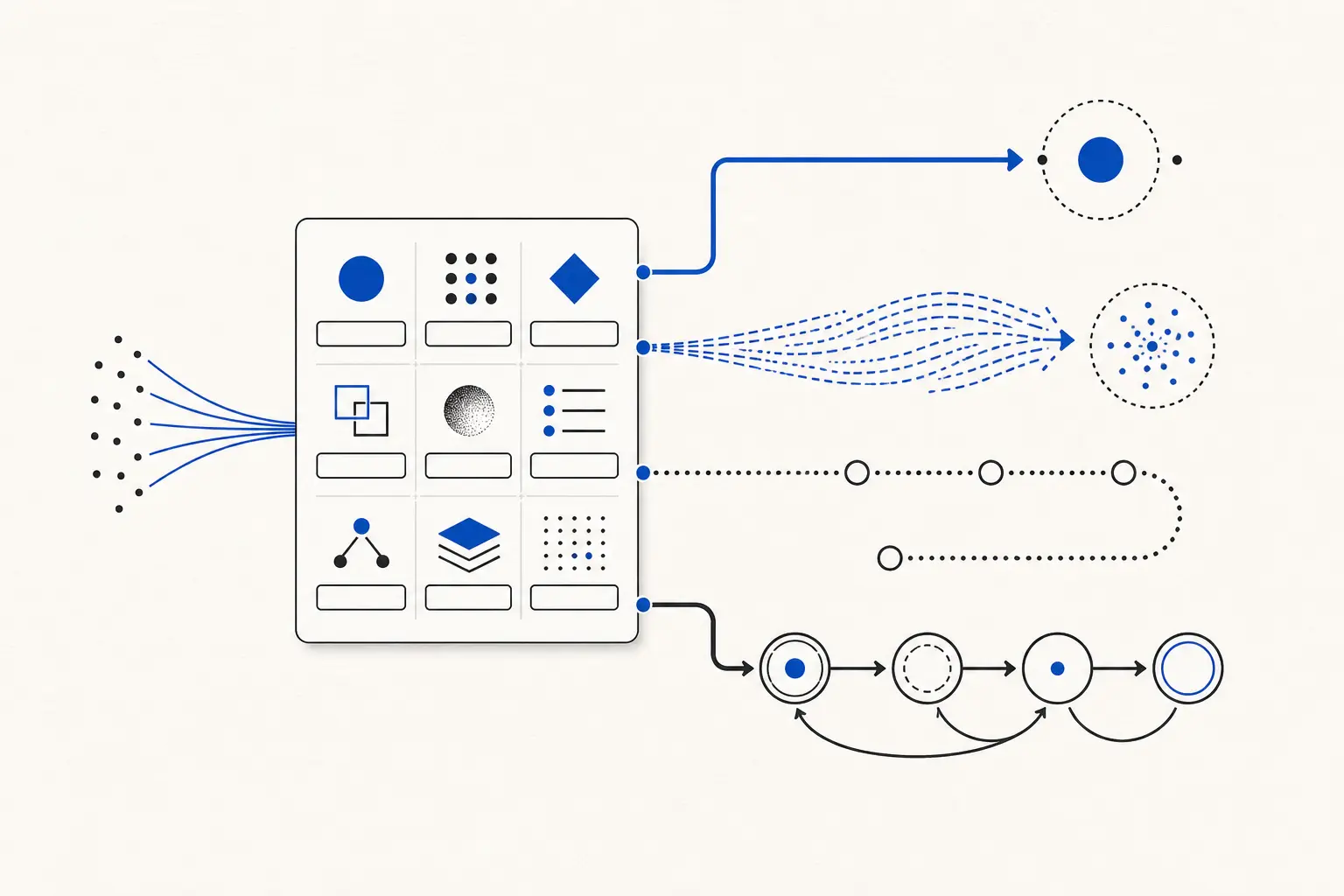
I used to see teams choose synchronous or asynchronous architecture from the backend inward. The better starting point is the user's next action. If the user cannot move until the result exists, the interaction contract should say so before anyone draws a queue.
When I think about TryUncle, the constraint is even clearer. It watches the screen and annotates it live. That makes latency and human approval product constraints, not afterthoughts. This is a qualitative firsthand observation from building TryUncle, not a measured benchmark.
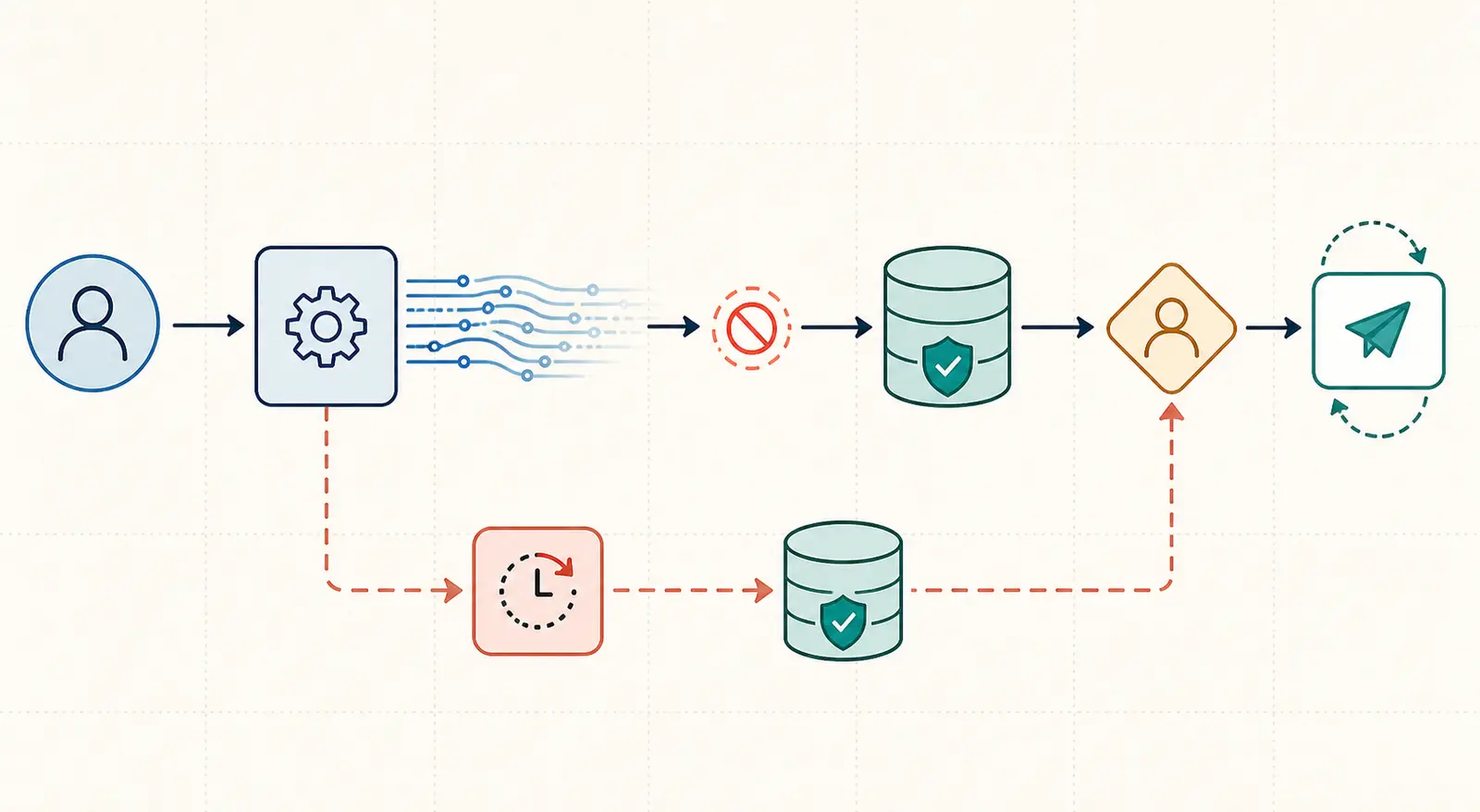
The worksheet output: choose the interaction contract first
The worksheet produces two things: a pattern recommendation and a veto condition. The recommendation says what to build first. The veto tells you when that choice becomes unsafe or misleading.
Salesforce's Agentforce integration guidance distinguishes blocking request-response work from nonblocking dispatch and asks architects to consider current-turn dependency, endpoint timeouts, retries, idempotency, and concurrency. Azure's asynchronous request-reply pattern makes the client contract explicit with an accepted request, a status reference, and a later result. Those are mechanics. The worksheet turns them into a product decision. (Salesforce Agentic Integration Patterns, Azure Asynchronous Request-Reply Pattern)
| Decision field | Ask this in the design review | Recommendation | Veto |
|---|---|---|---|
| User next-action dependency | Must the user wait for the result before acting? | Yes favors sync or sync streaming. No favors async request-reply. | Reject async-only when the user is blocked and there is no status or resume surface. |
| Acceptable wait and timeout exposure | What wait can the current interaction own, and what happens at timeout? | A bounded wait favors sync. An interaction that can outlive the screen favors async or durable state. | Reject pure sync when timeout can leave side-effect status ambiguous. |
| Progress visibility | Is partial text or phase progress useful? | Partial text favors streaming. Durable phase progress favors async status or a state machine. | Reject streaming-only when partial output could be mistaken for final or approved output. |
| Interruption or human approval | Can a person pause, edit, reject, or approve? | Add an explicit approval state and keep the side effect behind it. | Reject direct writes before the approval boundary. |
| External callback availability | Can a trusted service call back with completion? | Use a callback or webhook when it can be authenticated and correlated. Otherwise poll or show in-product status. | Reject callback-only without authentication, replay handling, and correlation. |
| Retry and idempotency needs | Which steps may repeat, and which writes need a stable key? | Retry reads and drafts freely enough for the use case. Protect writes with idempotency. | Reject automatic retry of an ambiguous non-idempotent write. |
| Cancellation | What does cancel mean for the model, tools, queue, and side effects? | Close a live stream for transient work. Use a cancel state and compensation policy for durable work. | Reject a cancel button that only hides work still able to cause a side effect. |
| Status retention | Can the user recover after refresh, navigation, or disconnect? | Store status and result when recovery or audit matters. | Reject fire-and-forget when the user needs proof of completion. |
| Concurrency | How many runs can one user, case, or tenant own? | Serialize a focused interaction. Use async workers and correlation for fan-out. | Reject parallel writes without correlation, partial-failure handling, and idempotency. |
The pattern names in the table are deliberately plain:
- Sync request-response keeps the result attached to the current request.
- Sync streaming keeps that current request open while useful output arrives incrementally.
- Async request-reply acknowledges work, then exposes status or a result reference.
- A webhook or callback lets another system notify the workflow.
- A durable state machine makes states, transitions, stored context, waits, and recovery explicit.
The important distinction is not “fast versus slow.” It is “does the user still own this interaction, and can the system explain what happens after interruption?”
How the worksheet maps answers to patterns
Use synchronous request-response when the user needs the result in the current turn, the work has a bounded interaction, and there is no approval or callback pause inside the operation. Salesforce describes this as a blocking request or response operation, while AWS Step Functions calls the related service integration pattern request-response: the workflow advances after an HTTP response, not after a long-running job completes. (Salesforce Agentic Integration Patterns, AWS Step Functions Service Integration Patterns, AWS Step Functions State Machines)
Use synchronous streaming when the user needs to stay in the current interaction and partial output helps them orient or start reviewing. OpenAI's streaming documentation describes HTTP streaming over server-sent events, with output processed while the model continues generating. The same documentation lists lifecycle events for deltas, completion, and errors. Azure also identifies SSE as an alternative when responses must stream in real time rather than wait behind polling. (OpenAI Streaming API Responses, Azure Asynchronous Request-Reply Pattern, Salesforce Agentic Integration Patterns)
Use asynchronous request-reply when the client can continue without the final result, or when the work can outlive the current connection. Azure's pattern starts with a synchronous trigger, returns HTTP 202 Accepted, includes a Location reference, and exposes a status endpoint while the work continues. Its example also uses Retry-After to suggest a polling interval. Salesforce makes the same product distinction in agentic terms: dispatch confirmation is not downstream completion. (Azure Asynchronous Request-Reply Pattern, Salesforce Agentic Integration Patterns, AWS Step Functions State Machines)
Use a webhook or callback when another system can reliably notify your workflow and the completion event must resume work. AWS Step Functions documents a wait-for-callback pattern in which a task pauses until its task token is returned with success or failure. That is a durable continuation, not a longer HTTP request. Azure notes that polling is useful when callback endpoints are unavailable, and that callback or push options add their own infrastructure and connection complexity. (AWS Step Functions Service Integration Patterns, Azure Asynchronous Request-Reply Pattern, Salesforce Agentic Integration Patterns)
Use a durable state machine when the workflow has meaningful states rather than one request with one answer. AWS describes executions as workflow instances that can be monitored, can catch errors, and may be redriven later. Its state-machine model passes JSON input and output between states and supports explicit timeout and transition fields. That makes it useful when approval, cancellation, retries, or external callbacks must remain visible after the original request is gone. (AWS Step Functions State Machines, AWS Step Functions Service Integration Patterns, Salesforce Agentic Integration Patterns)
The vetoes matter more than the labels. A pattern is wrong when it hides a user decision, loses status at disconnect, retries a side effect without an idempotency key, or creates parallel writes without a correlation and recovery plan. Salesforce specifically calls out idempotent writes, compensation for partial outcomes, and safe handling of ambiguous responses. (Salesforce Agentic Integration Patterns, AWS Step Functions State Machines, AWS Step Functions Service Integration Patterns)
Worked example: draft a CRM reply that a user must approve
Here is the completed worksheet for a support agent that clicks Draft reply in a CRM. The AI reads the current case context and proposes text. The support agent edits or approves it before sending. Sending is a separate side effect.
| Field | Completed answer | Decision |
|---|---|---|
| User next-action dependency | The agent cannot review or send the proposed reply until a draft exists. | Keep the current interaction synchronous. |
| Acceptable wait and timeout exposure | The user owns a bounded drafting interaction. If the draft cannot finish, preserve the request and offer status. | Stream first. Fall back to async status on timeout. |
| Progress visibility | Partial text helps the agent start reviewing, but partial text is not sendable. | Stream text and show completion separately. |
| Interruption or human approval | The agent may edit, reject, or approve. | Keep send behind an explicit approval action. |
| External callback availability | The first version has no external callback requirement. | Do not add a webhook yet. |
| Retry and idempotency needs | Draft generation may retry with the same request ID. Sending needs a stable idempotency key. | Retry draft work. Protect send. |
| Cancellation | The agent can stop generation. A cancelled draft must not send. | Cancel the stream and mark the draft cancelled. |
| Status retention | The draft should survive a brief disconnect or refresh until the agent resolves it. | Persist request and draft status, not just the socket. |
| Concurrency | One active draft per case and composer. A newer request supersedes a stale draft. | Correlate by case ID and request ID. Reject stale sends. |
The resulting choice is not “make it async because AI is slow.” It is: synchronous request semantics, SSE streaming for useful draft text, a persisted status record for recovery, and a separate idempotent approval-and-send command. Async request-reply is the fallback when the current interaction cannot finish within its own boundary.
That is the kind of decision a design review can challenge. If the team later adds an external compliance check, a human queue, or a callback from a CRM job, the worksheet changes. The answer is allowed to change because the user contract changed.
What the request, stream, status, and state should look like
The mechanics can stay small for this first version. The design below is an artifact, not a vendor-specific implementation.
POST /cases/{caseId}/drafts
  body: { requestId, caseVersion, promptContext }
  response: 200 with stream attached to request

stream events
  draft.delta       partial text for review only
  draft.phase       retrieving | drafting | validating
  draft.completed   draftId, revision, status="awaiting_approval"
  draft.failed      requestId, retryable, message

GET /drafts/{draftId}
  response: { status, revision, text, caseVersion, requestId }

POST /drafts/{draftId}/send
  body: { approvalRevision, idempotencyKey }
  response: { status: "sent", messageId }
The client should treat draft.completed as the end of generation, not permission to send. The send endpoint checks that the user approved the same revision that was generated, that the case version is still current, and that the idempotency key has not already been used. Those checks are recommendations from the worksheet. They are the product boundary that prevents a live stream from becoming an unreviewed write.
If the live request crosses its interaction boundary, the server can convert the run to an accepted operation:
POST /cases/{caseId}/drafts
  response: 202 Accepted
  headers: Location: /draft-requests/{requestId}
           Retry-After: <server-selected interval>

GET /draft-requests/{requestId}
  response: { status: queued | running | awaiting_approval | failed | cancelled,
              draftId?, updatedAt, retryable? }
The 202, Location, status, and Retry-After shape follows Azure's documented asynchronous request-reply pattern. The field names and approval rule above are this article's design artifact, not a claim that Azure or any other vendor requires them. (Azure Asynchronous Request-Reply Pattern)
For a more durable version, the same run can be represented as explicit states:
received
  -> drafting
  -> awaiting_approval
  -> sent

drafting -> failed_retryable -> drafting
drafting -> cancelled
awaiting_approval -> rejected
awaiting_approval -> expired
The durable state machine becomes worthwhile when those transitions need to survive a disconnected client, an external callback, a human queue, or a retry after partial completion. AWS Step Functions uses the same general model of executions, states, transitions, input, output, timeout, and error handling. The exact state names here are the worksheet's example. (AWS Step Functions State Machines, AWS Step Functions Service Integration Patterns, Salesforce Agentic Integration Patterns)
Where a synchronous design fails
The worksheet catches five failure modes early.
- The screen waits, but the work has no honest upper boundary. A live request hides the fact that the user may navigate away. Move to accepted work plus status, or model a durable execution.
- The stream looks like a result. Partial text can help orientation, but it is not proof that generation completed or that a human approved a side effect. Emit completion separately and keep send separate.
- The server retries the write after a timeout. A timeout is ambiguous. The remote system may have accepted the write. Use the same idempotency key or external reference when retrying, or stop and surface the uncertainty. Salesforce explicitly warns against unchecked retries for non-idempotent writes. (Salesforce Agentic Integration Patterns, AWS Step Functions State Machines, AWS Step Functions Service Integration Patterns)
- The user cancels the UI, but the worker continues. Cancellation must describe what happens to the model call, tool calls, queued work, and side effects. If the system cannot stop a job, show that it was requested for cancellation and keep the status visible.
- Parallel calls return without a coherent partial-result policy. Independent lookups can reduce waiting, but the aggregator still needs correlation, a definition of complete, and a plan for failed branches. Salesforce's guidance treats partial success, correlation, and concurrency as design concerns, not incidental logging details. (Salesforce Agentic Integration Patterns, Azure Asynchronous Request-Reply Pattern, AWS Step Functions State Machines)
The common thread is uncertainty. Synchronous architecture is not unsafe because it is synchronous. It becomes unsafe when the product pretends a live connection is the same thing as durable ownership.
How to run the worksheet in a design review
Use the artifact before the team chooses a transport or orchestration product.
- Write the user's next action in plain language. “They need the draft before they can approve it” is better than “the endpoint should be low latency.”
- Fill all nine fields with one sentence each. If a field is unknown, write “unknown” and treat that as a design risk.
- Select the simplest pattern that satisfies the answers. Start with sync, add streaming when partial output is useful, and add async or durable state only when the worksheet demands it.
- Apply the vetoes. A recommendation that fails one veto is rejected until the product contract changes.
- Draw the request, stream, status, and state surfaces. Include the user-visible answer after refresh, timeout, cancel, retry, approval, and duplicate-send paths.
- Re-run the worksheet when the workflow gains an external callback, a human queue, a second system, or a new side effect. Those changes alter the interaction contract.
The result is a small decision artifact that gives product and engineering a shared object to argue over. That is more useful than debating whether “sync” or “async” is generally better.
The practical default for the worked workflow is simple: keep the user-facing draft synchronous, stream useful text, persist enough status to recover, and make approval a separate state-changing action. If the run can outlive the screen, stop calling it a synchronous user workflow and promote it to accepted work with status.
For the broader architecture tradeoff, use the AI architecture tradeoffs parent guide. If the worksheet sends you toward durable queued work, continue with how to build a queue-backed AI workflow.
Continue with a related field note
- Why AI Prototypes Fail When the Workflow Has Multiple Owners
- How to Draw an AI Workflow Boundary Around Systems of Record
- What Should an AI Agent Run Contract Contain?
- When Is an AI Workflow Problem Actually a Data Problem?
- When Should an AI Workflow Split Into Subworkflows?
- When Should an AI Workflow Stop Instead of Guessing?
Questions people ask next
Can streaming replace an asynchronous workflow?
Only when the user still owns the live interaction and partial output is useful. Streaming does not replace durable status, approval, retries, or callbacks when work can outlive the current screen.
When does a synchronous AI workflow need a status endpoint?
Add a status endpoint when the request can outlive the connection, the user may refresh or navigate away, or the result must be recovered after a timeout. A live stream alone is not a durable status surface.